30
BD/DVD OPERATION
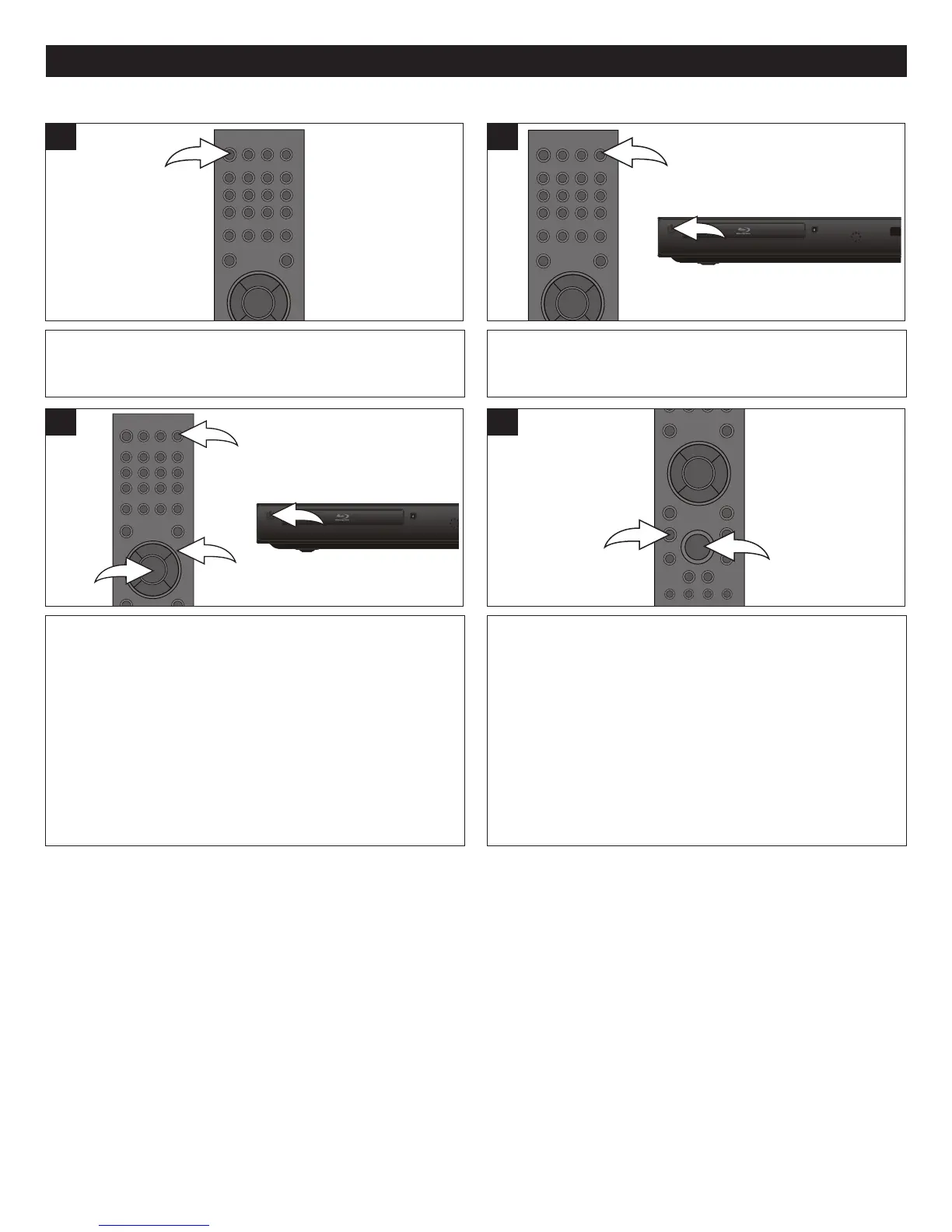
Press the OPEN/CLOSE button 1 to close the disc tray.
“CLOSE” then “READING” will briefly appear on the screen.
After loading, the menu screen of the disc should appear.
Use the Navigation (√,®,π,†) buttons 2 to select the
desired option and the ENTER button 3 to select it.
3
Press the POWER/STANDBY button to turn on the unit.
The POWER/STANDBY button will light blue.
1
Press the OPEN/CLOSE button to open the disc tray,
“OPEN” will appear on the screen. Insert a disc with the
label side facing up on the disc tray.
To stop playback, press the STOP (X) button 1. Because
the unit will remember where you stopped, simply press the
PLAY ® button 2 to resume playback where you left off
(resuming playback).
If the STOP (X) button 1 is pressed again, the unit will
enter the Stop mode.
4
NOTES:
• If the player is not in BD/DVD mode, press the USB/SD button repeatedly to select BD mode to playback the disc.
• If a Menu appears on the TV screen, press the Navigation (√,®,π,†) buttons to select the desired option/item, then press
the ENTER button. Please make sure to refer to the disc’s jacket or case for additional information.
• Resuming playback may not work on all discs.
• With some discs, the Media Type Select menu may appear after reading the disc. Press the ENTER button to confirm
the playback.
PLAYBACK OF A BLU-RAY DISC OR A STANDARD DVD
2



 To Next Page