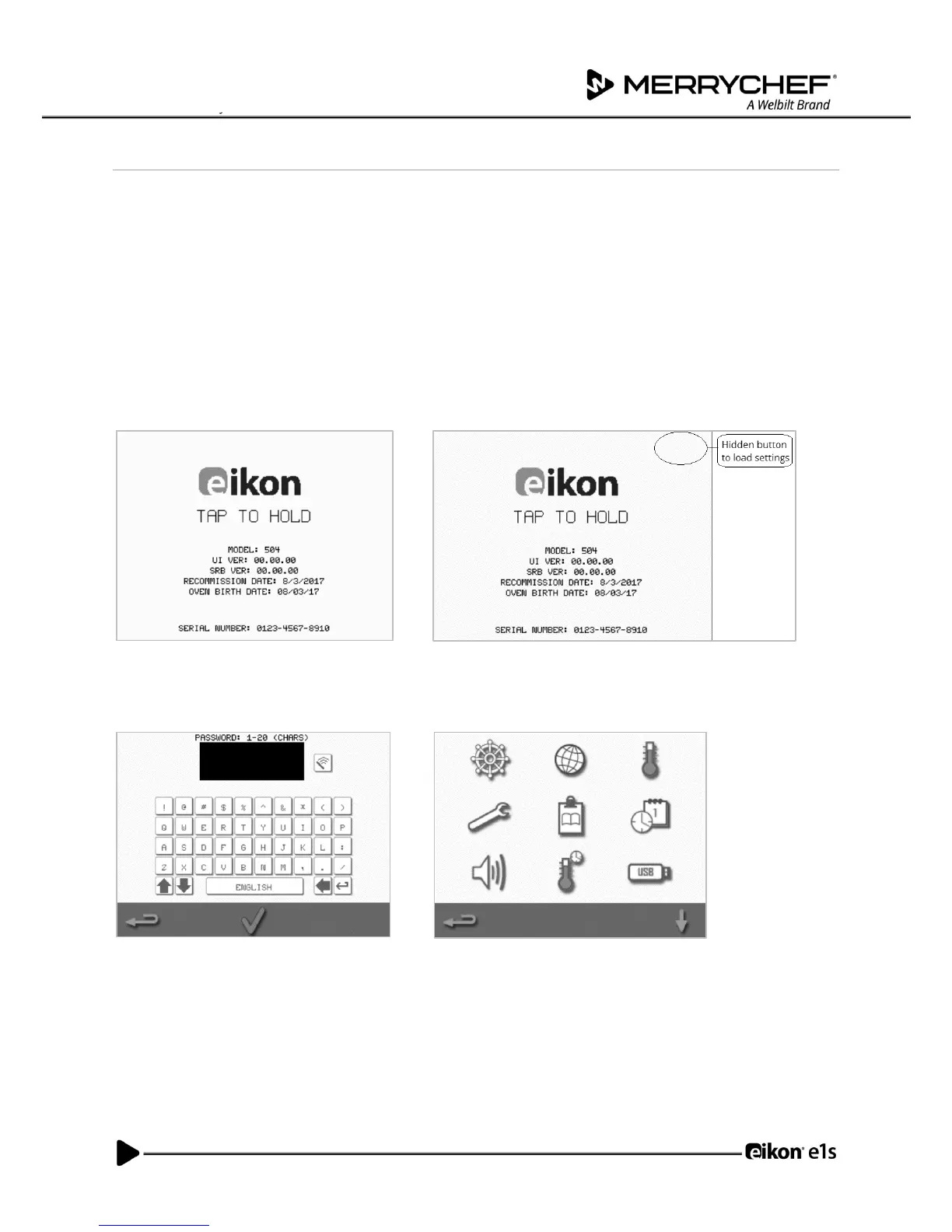
Settings on first usage
The system is preconfigured with all the required settings to start cooking immediately following installation.
However, you may want to configure the following before using the oven.
• Date and time
• Alarms
• Temperature
• Oven time
Settings are changed by selecting the ‘settings’ screen which is accessible from the main menu.
However, the main menu is only displayed after the oven is pre-heated and therefore, if you want to change settings
before or whilst the oven is heating, for example before first usage, do as follows:
1) Tap to hold the first screen upon switching on, which shows the serial number.
2) Press the hidden button at the top right-hand corner to load the password screen.
3) Enter the administration password. The default password is ‘MANAGER’.
4) Select the required settings icon to make changes as required.
See Section 2F: Changing settings for instructions.



 To Next Page