eikon e1s
User Manual
Section 2: Operations and Installation Guide
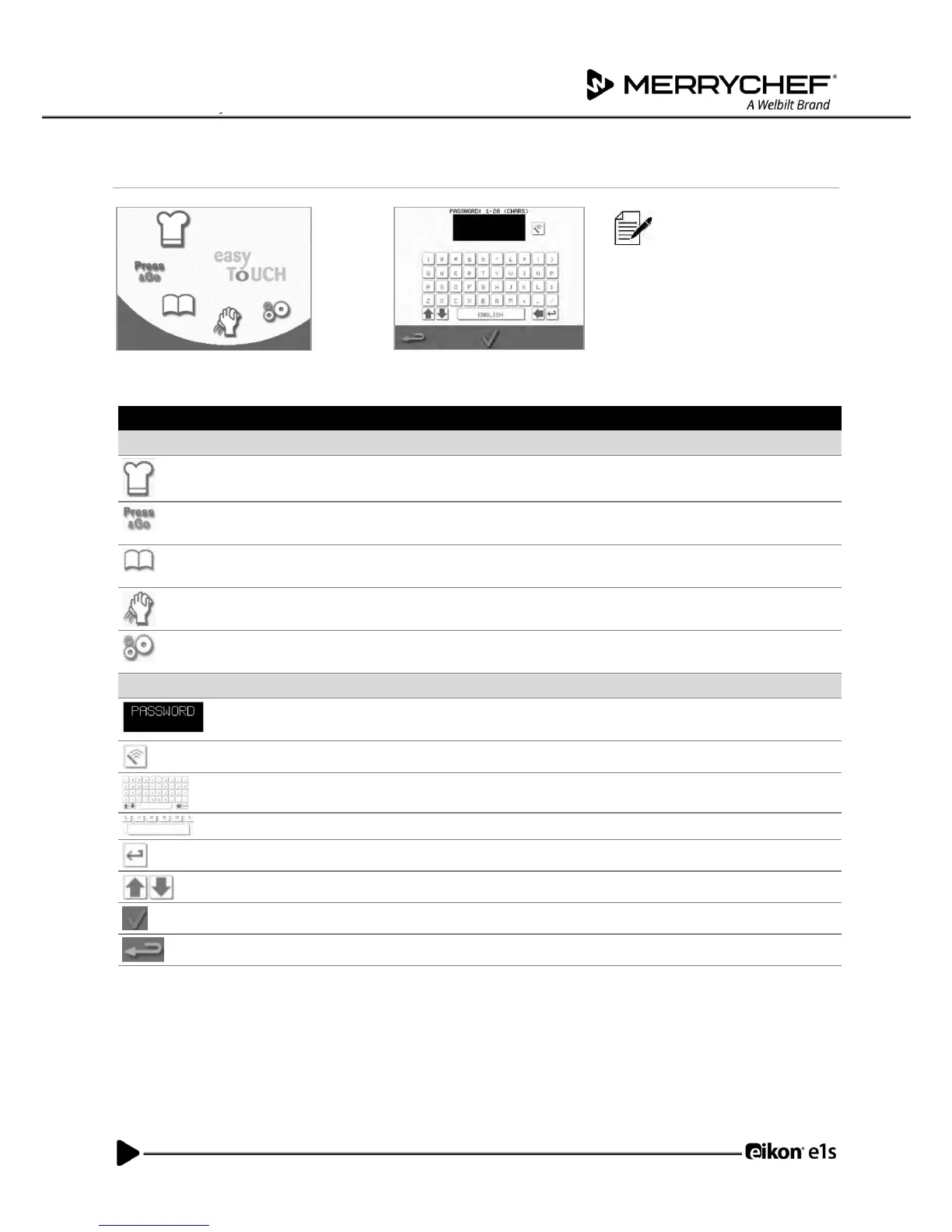
Understanding the main menu and keyboard
The easyTouch
®
screen
display, layout and icons
shown herein are for
guidance purposes only
and are not intended to be
an exact representation of
those supplied with the
appliance.
‘Development Mode’ enables multistage cooking profiles to be developed,
then stored under a name and symbol for reuse.
‘Press&Go’ allows quick access to use the cooking profiles that are already
stored.
‘Cookbook’ contains the cooking profiles stored in the memory of the
appliance.
‘Cleaning / Temp change’ allows the cavity temperature to be changed and
the appliance to be prepared for cleaning.
‘Settings’ are used to control the appliance settings and functions and for
service and maintenance purposes.
The ‘keyboard screen’ is used to enter password and to insert data for
programmes.
Select the ‘clear screen’ key to delete text from the keyboard screen.
Use the ‘keyboard’ to type in text.
Select the ‘spacebar’ key to insert a blank.
Select the ‘return’ key to start a new line.
Select the up/down arrows to scroll the keyboard screen.
Select the green tick to confirm settings and continue.
Select the ‘backspace’ key to return to a previous screen.
Table 2.4: Main menu and keyboard items
Character length
• Use 1-20 characters in two lines max for names of cooking profiles, cooking profile groups and passwords.
• Use 1-54 characters in five lines max for stage instructions of individual cooking profiles.



 To Next Page