EasyManua.ls Logo

Merrychef eikon e1s - Sound Settings

Merrychef eikon e1s
45 pages
Print Icon
To Next Page IconTo Next Page
To Previous Page IconTo Previous Page
Loading...
31
eikon e1s
User Manual
Section 2: Operations and Installation Guide
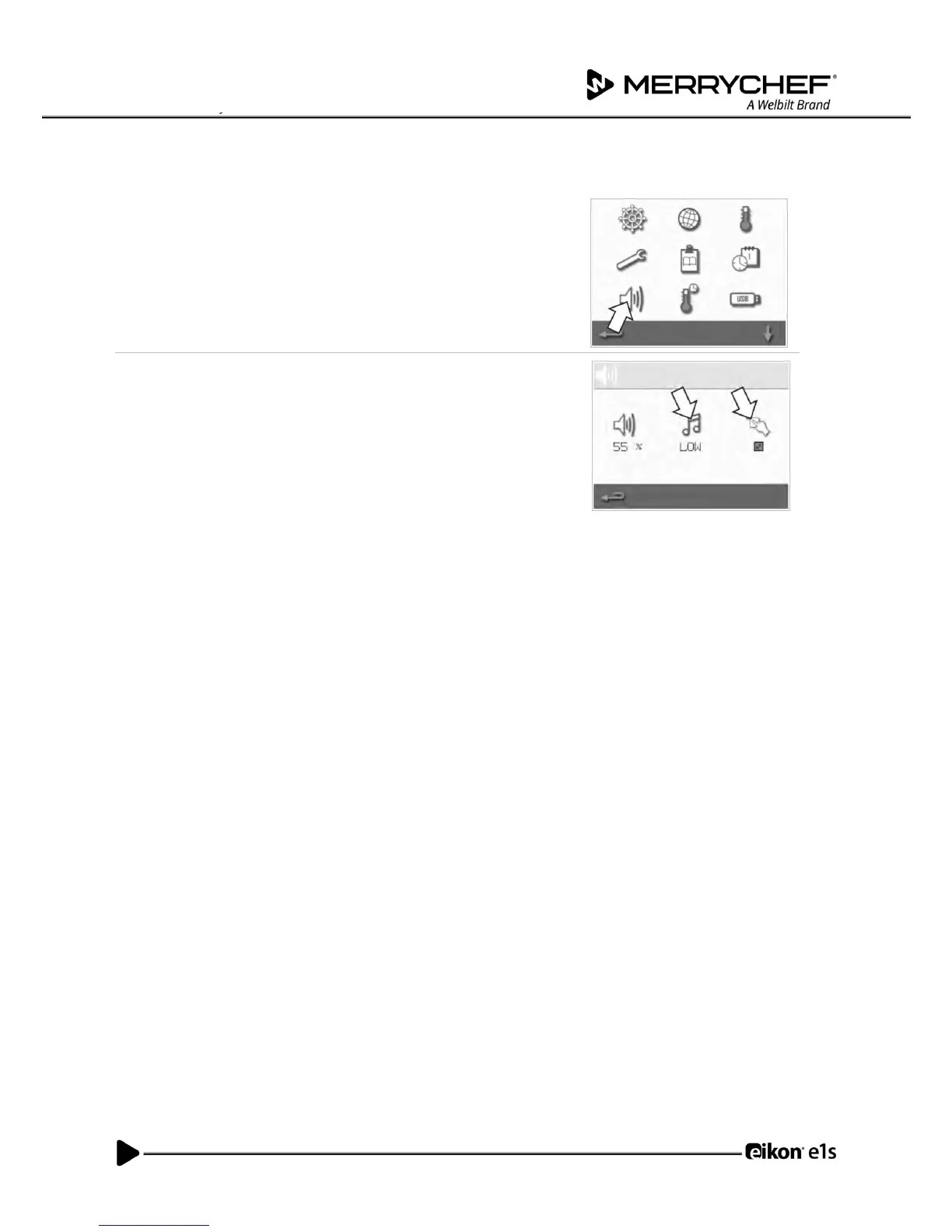
Sound settings
1. Select the speaker symbol to access the volume, tone and further
sound settings.
2. Make changes as required:
a) Select the speaker symbol to adjust the volume level suitable for
the environment from none (OFF) to the loudest (100%).
b) Select the music note symbol to set LOW, MED or HIGH tone.
c) Select the keypad symbol to switch the sound ON or OFF when
the touchscreen is pressed.

Table of Contents

Other manuals for Merrychef eikon e1s

Related product manuals