eikon e1s
User Manual
Section 2: Operations and Installation Guide
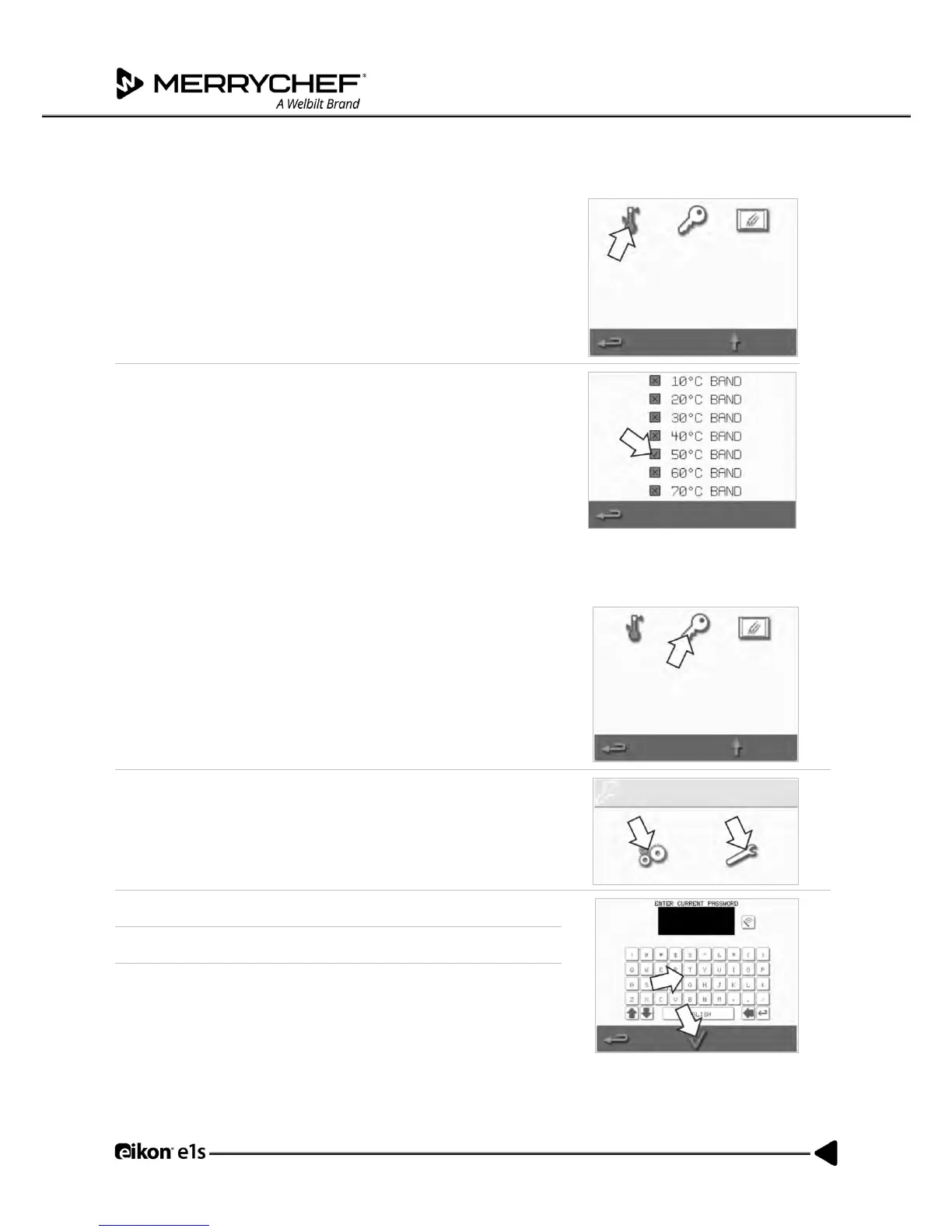
1. Select the ‘temperature band’ symbol.
2. Select the required temperature band checkbox, shown by a green
tick.
Note: Generally, the lowest practical ‘Temp Band’ should be chosen. If the
set cavity temperature falls by more than the selected temperature band
value, the ready-to-cook mode and the temperature band are deactivated
until the cavity reaches the preset preheat temperature.
Change setting / service access password
1. Select the ‘key’ symbol to change the passwords of the appliance.
2. Select the appliance ‘settings’ or ‘service’ symbol.
3. Enter the existing password and press the green tick to confirm.
4. Enter a new password and press the green tick.
5. Confirm the new password and press the green tick again.



 To Next Page