eikon e1s
User Manual
Section 2: Operations and Installation Guide
Changing the cavity temperature
You may need to change the cavity temperature depending on the food you are cooking. If the cavity temperature is
set to a value unsuitable for a cooking profile, it will need to be changed before that cooking profile can be used.
Cooking profiles unsuitable for the set temperature are highlighted with a red border.
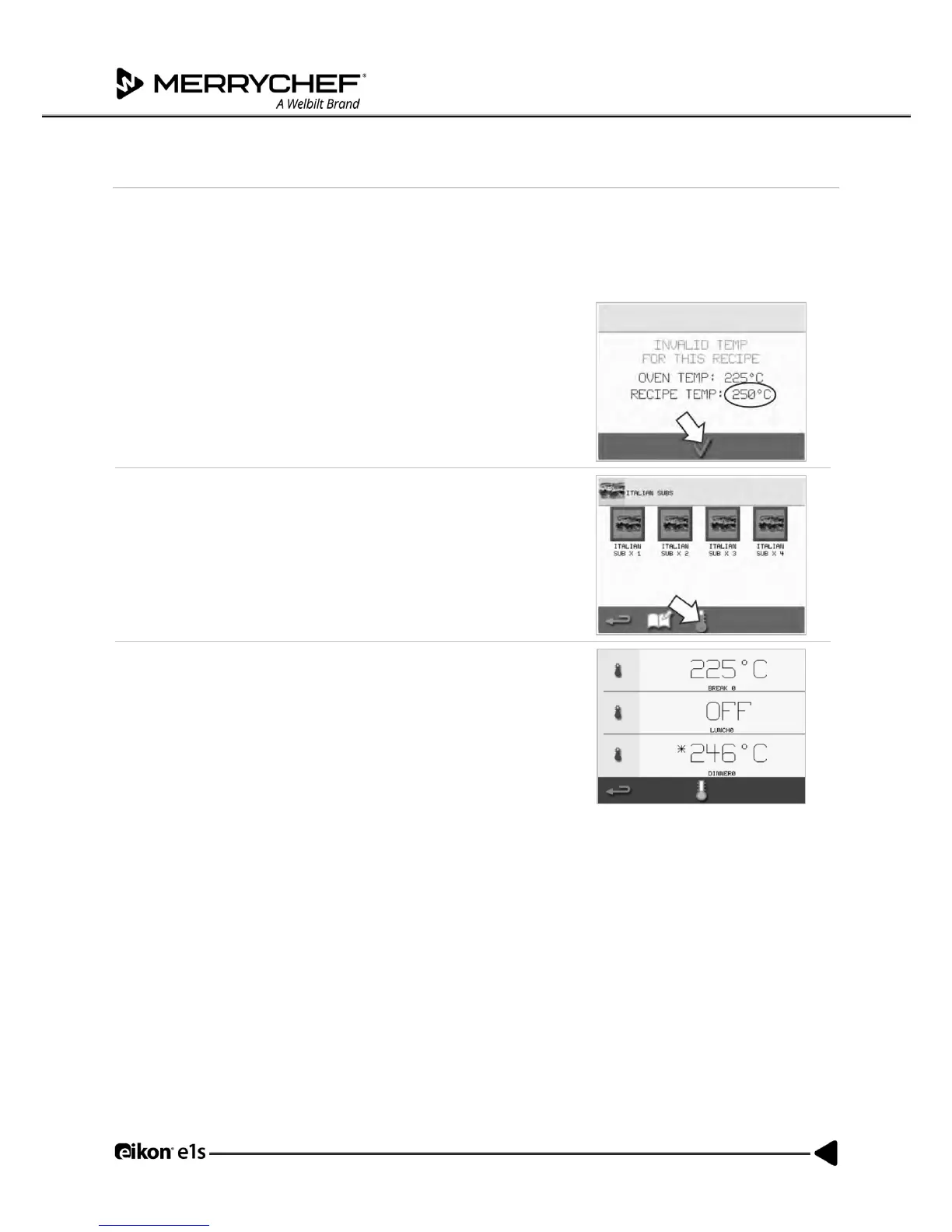
To change the cavity temperature:
1. Take note of the cavity temperature required for the cooking profile
and then press the green tick to continue.
Note: You can find out the required temperature by selecting a cooking
profile highlighted with red border.
2. Select the ‘temperature’ symbol in the selected cooking profile
screen.
3. An asterisk next to the temperature value indicates the present
cavity temperature. Select the required cavity temperature for the
cooking profile.



 To Next Page