eikon e1s
User Manual
Section 2: Operations and Installation Guide
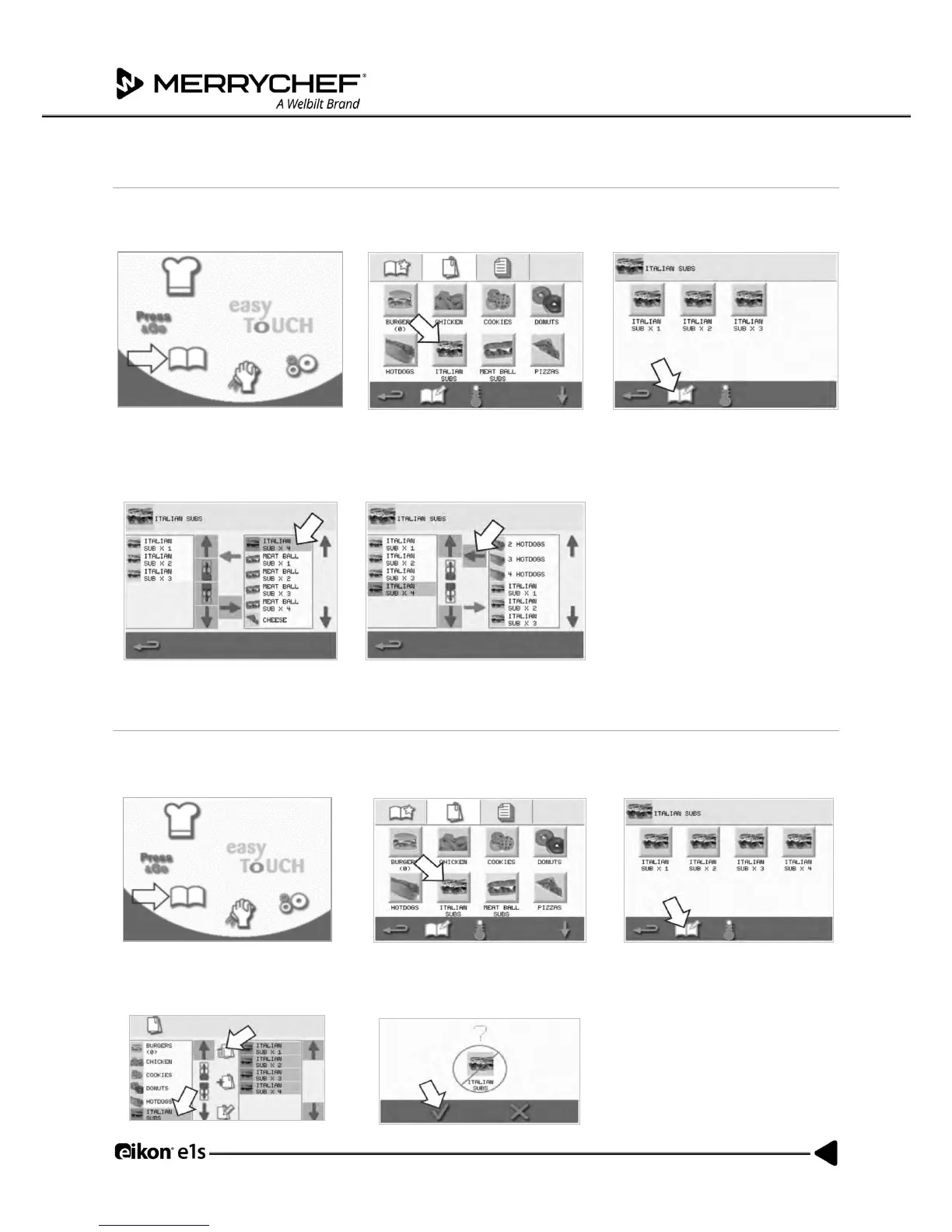
Adding a cooking profile to a group of cooking profiles
1. Select ‘cookbook’ from the main
menu screen.
2. Select the cooking profile group
you want to add to.
3. Select the ‘edit cookbook’ symbol
in the cooking profile screen.
4. Use the up/down scroll arrows
on the right to find and select
the cooking profile you want to
add.
5. Select the green ‘left’ arrow to
add the selected cooking profile,
which will now be listed on the
left.
Deleting a cooking profile group
1. Select ‘cookbook’ from the main
menu screen.
2. Select the cooking profile group to
delete.
3. Select the ‘edit cookbook’
symbol.
4. Select the ‘delete cooking
profile group’ symbol.
5. Select the green tick to delete the
cooking profile group.



 To Next Page