Note
: Specification is subject to changes without
notice.
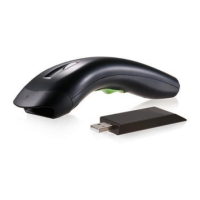
Using the Scanner
8110/8150/8250/8310/8312
The Scanner can automatically scan barcode at a
distance. Simply aim and pull the trigger. Code scanning
is performed along the center of the light bar emitted
from the reading window. This bar must cover the entire
code.
Successful scanning shall be obtained by tilting the
scanner with respect to the barcode to avoid direct
reflections that impair the reading performance,
especially for 2D barcode.
Recommended Steps
When the required settings have been configured, all
settings are stored in non- volatile memory of scanner
after reading EXIT Label. Recommended steps are as
follows.
1) Set right host interface for your scanner.
(The scanner is in factory default shown as bold
label)
2) Set interface to optimize protocol of scanner with
your host in interface section.
3) Set system control of scanner, such as specific
adjustments double confirm, power saving, indicator
and scanning mode which you prefer usage in
system control section.
4) Set code options of scanner for your usage in code
option section. You must make sure to enable the
symbology first, then Min./Max. code length, code



 To Next Page