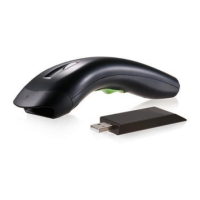
1
Introduction
Installation- Keyboard Wedge
1) First of all, you must switch off power for the
terminal/computer.
2) Disconnect the keyboard cable from the back of the
terminal/computer.
3) Connect the appropriate interface cable to the
scanner and to the terminal/computer.
4) Turn the terminal/computer power on.
RS-232
1) Disconnect power to the terminal/computer.
2) Connect the appropriate interface cable and external
power supply (DC adapter) to the scanner.
3) Plug the serial connector into the serial port on the
back of your computer/terminal. Tighten the two
screws to secure the connector to the port.
4) Plug the power pack into power source.
5) Once the scanner has been fully connected, turn the
terminal/computer power back on.
USB (Simulate with keyboard wedge)
1) Connect the USB cable between scanner and PC.
2) Windows will automatically detect the USB device.
Note:
If any of the above operation is incorrect, turn off the
power immediately and checking any improper
connections. Go through all above steps again.



 To Next Page