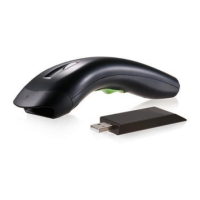
ID checksum and truncate digits are also converted.
5) Set string format of the scanner, such as preamble,
postamble Prefix, suffix, code ID and code name
transmission for your application in string format
section.
Note:
If still not work properly. Please contact your dealer
for further information.
CONTENTS
Chapter 1 Introduction
Introduction…………………………..………………. 1
Default Setting ………………………………………. 2
Scanner8110 specification ………..…………….. 4
Scanner8150/8250/8310/8312 specification 7
Programming the Scanner….…………………….. 10
Chapter 2 Parameter Setting
Interface……………………………………………….… 12
Interface Selection ………………………………….. 12
Keyboard wedge ……………………………………. 13
RS-232 …………………………………………….…. 18
Wand Emulation …………………………….………. 21
Pin Assignments ……………………………………. 24
System Control………………………………………. 26
Scan …………………………………………………. 26
Indication …………………………..………………… 30
Code Option…………………………………….……… 32
UPCA ……………………………………..…………. 32
UPCE ………………………………………………… 36
EAN-13 ………………………………………………. 40
EAN-8 ………………………………………………… 44
Code 39 ……………………………………………… 48
Interleaved 2 of 5 …………………………………… 52



 To Next Page