4.94
Using HPS
HPS
®
Modifying the Waveform Display
The default configuration can be modified to change or customize the layout, suspend
or reset alarms and change or mute the audio.
Viewing NIBP
Initially, the NIBP panel appears with no (--- / ---) value. To take an isolated reading of
the current, noninvasive blood pressure, select the NIBP option from the View menu.
Selecting NIBP from the View Menu
The NIBP reading appears in the NIBP panel and remains in view until another reading
is taken.
Setting Up NIBP to Cycle
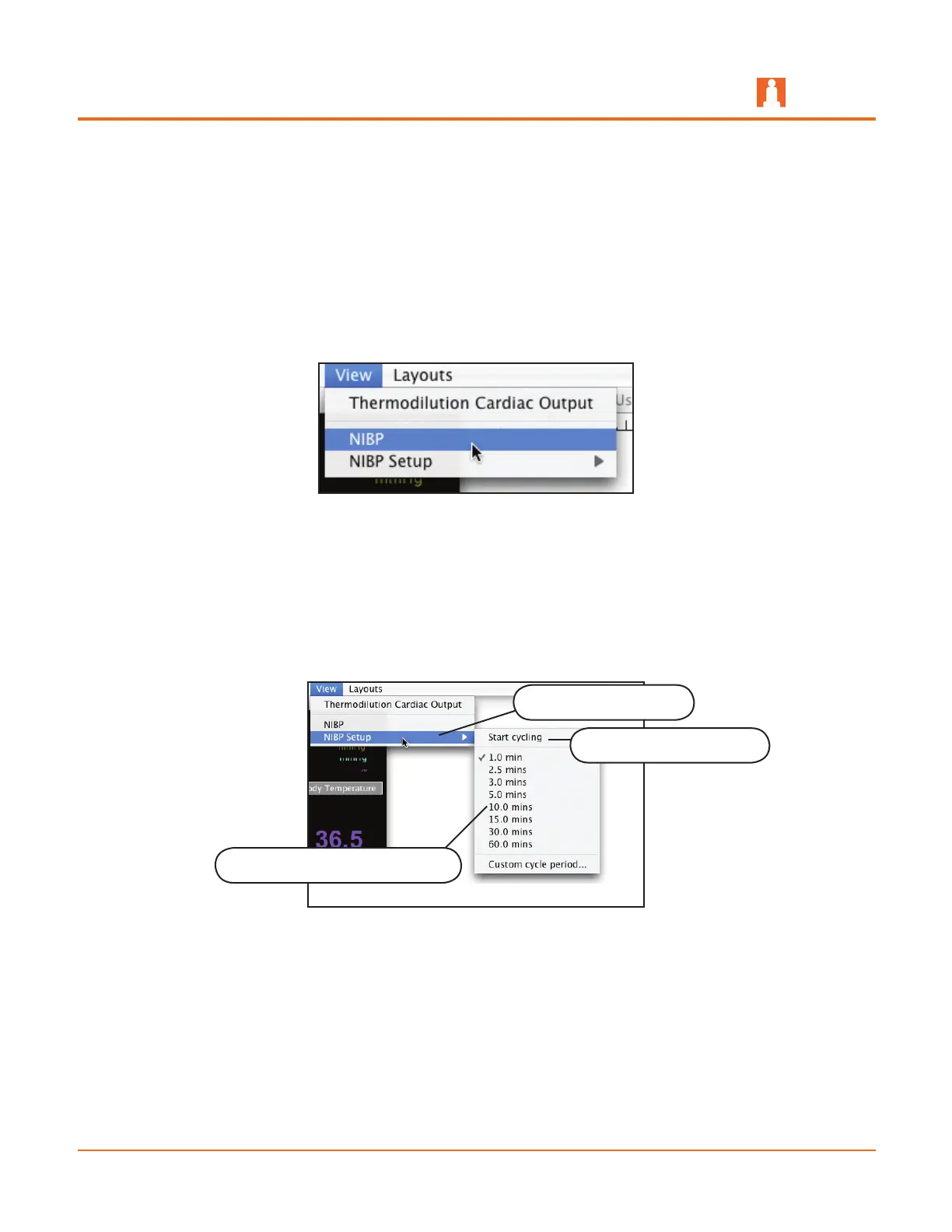
To schedule an NIBP reading at a set interval, select the NIBP Setup option from the
View menu and then choose a time interval.
Selecting NIBP Setup
Once a time interval is selected, select the Start cycling option to begin the NIBP
reading cycle.
Select NIBP Setup
Select Start cycling
Choose a time interval option



 To Next Page