2.17
HPS Setup
Step 15: Open a Patient in the HPS Software
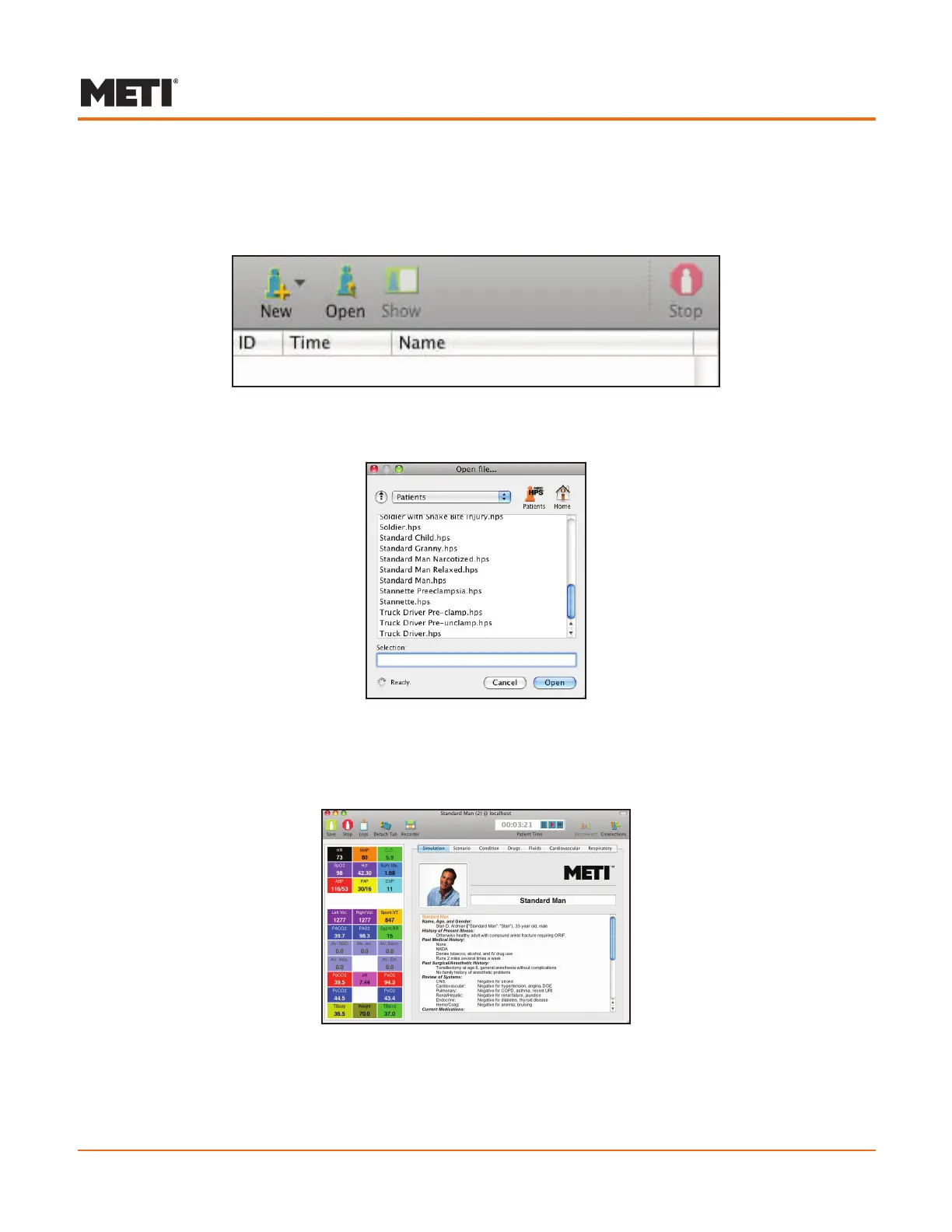
Click the a. Open icon in the Patient Palette.
The Patient Palette
A list of available patients appears.
List of Available Patients
Double-click b. Standard Man.
A new Patient Window opens for Standard Man.
Patient Window
For more detailed instructions on opening a patient in the HPS software, see pages 3.2
to 3.4 in the HPS Software Features section of this User Guide.



 To Next Page