4.101
Using HPS
Setting the Alarms
The Waveform Display includes an alarm feature that registers a two-tone (high-low)
sound when patient parameter readings fall below or exceed a specified minimum or
maximum setting. The alarm feature can be turned on (the default) or off by selecting
the option from the Alarms menu located beneath Edit on the menu bar.
When alarms have been suspended, a diamond appears to the left of the option
showing that Suspend has been selected.
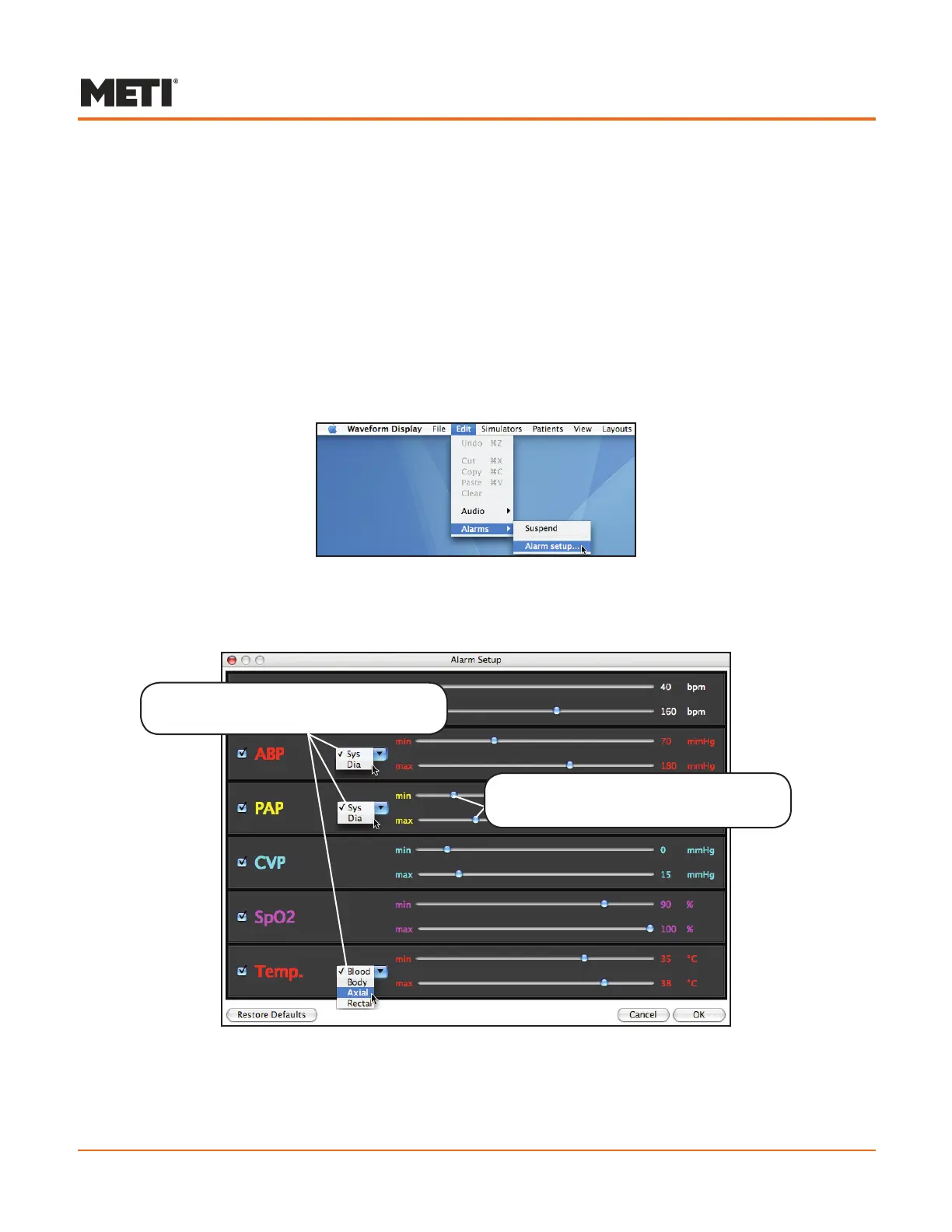
The Alarm settings can also be modified. To change the settings for the alarms, go to
the Edit menu, highlight Alarms and select the Alarm setup option.
Selecting the Alarm Setup
The Alarm Setup screen appears, displaying six parameters, three of which have
pull-down menus.
The Alarm Setup Screen
Including the pull-down settings, there are 11 parameters that may be associated with
an alarm. However, only six alarm settings (one for each of the primary parameters
displayed in the window) are possible at one time.
Additional parameters are available
using the pull-down menus.
Each parameter has a minimum and
maximum setting to trigger the alarm



 To Next Page