2.8
HPS Setup
HPS
®
Step 5: Connect the OxSim (Optional)
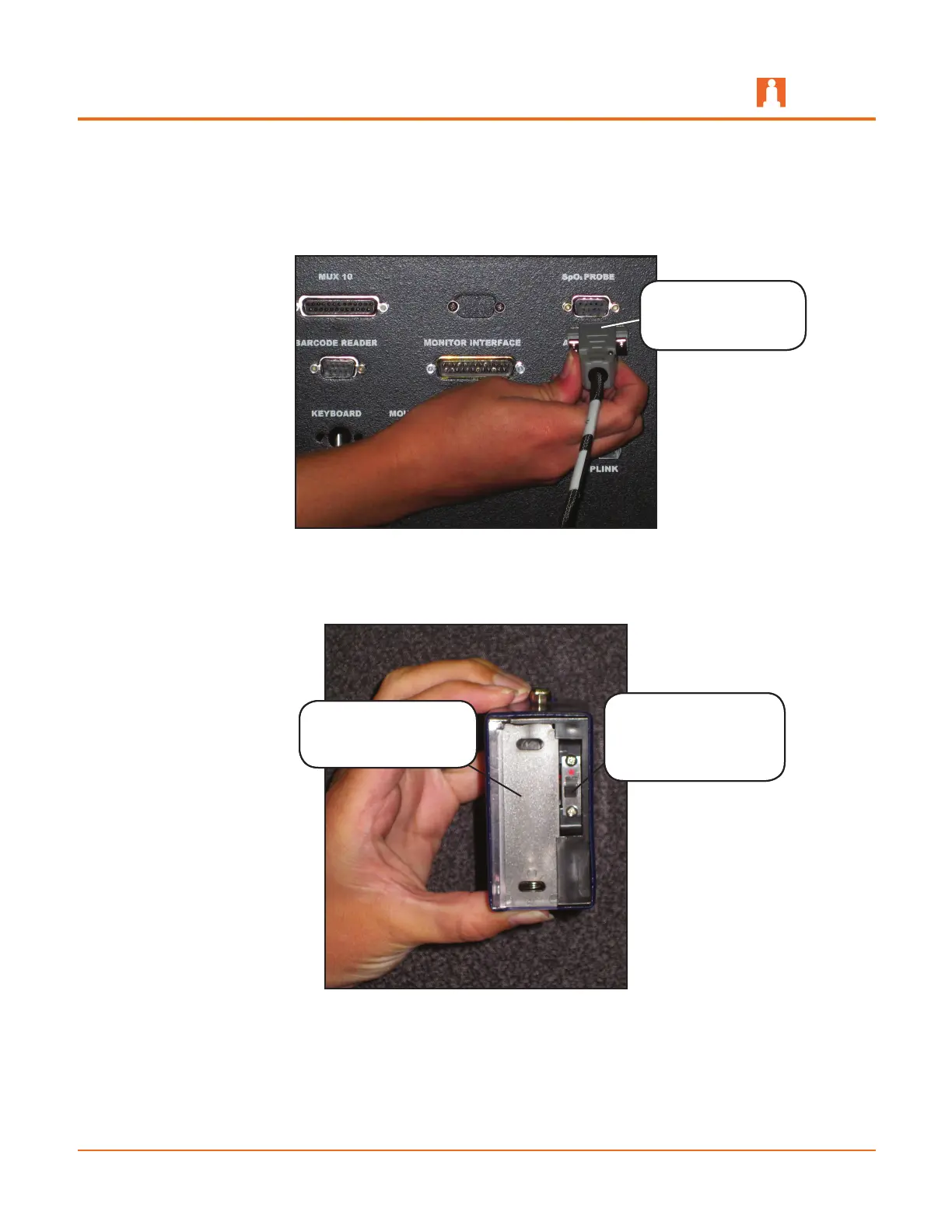
Connect the OxSim cable to the a. SpO
2
PROBE port on the back of the rack.
Connecting the OxSim cable to the Back of the Rack
Ensure there is no battery in the OxSim and the power switch is in the b. OFF
position (away from the red dot).
The OxSim Battery Compartment and Power Switch
Ensure there is no
battery in the battery
compartment
Ensure the power
switch is in the OFF
position (away from
the red dot)
Connect the
OxSim cable to the
SpO
2
PROBE port



 To Next Page