MI 3295 Step Contact Voltage Measuring System Measurements
32
Connections for Potential measurement
For connections see Figure 7.6.
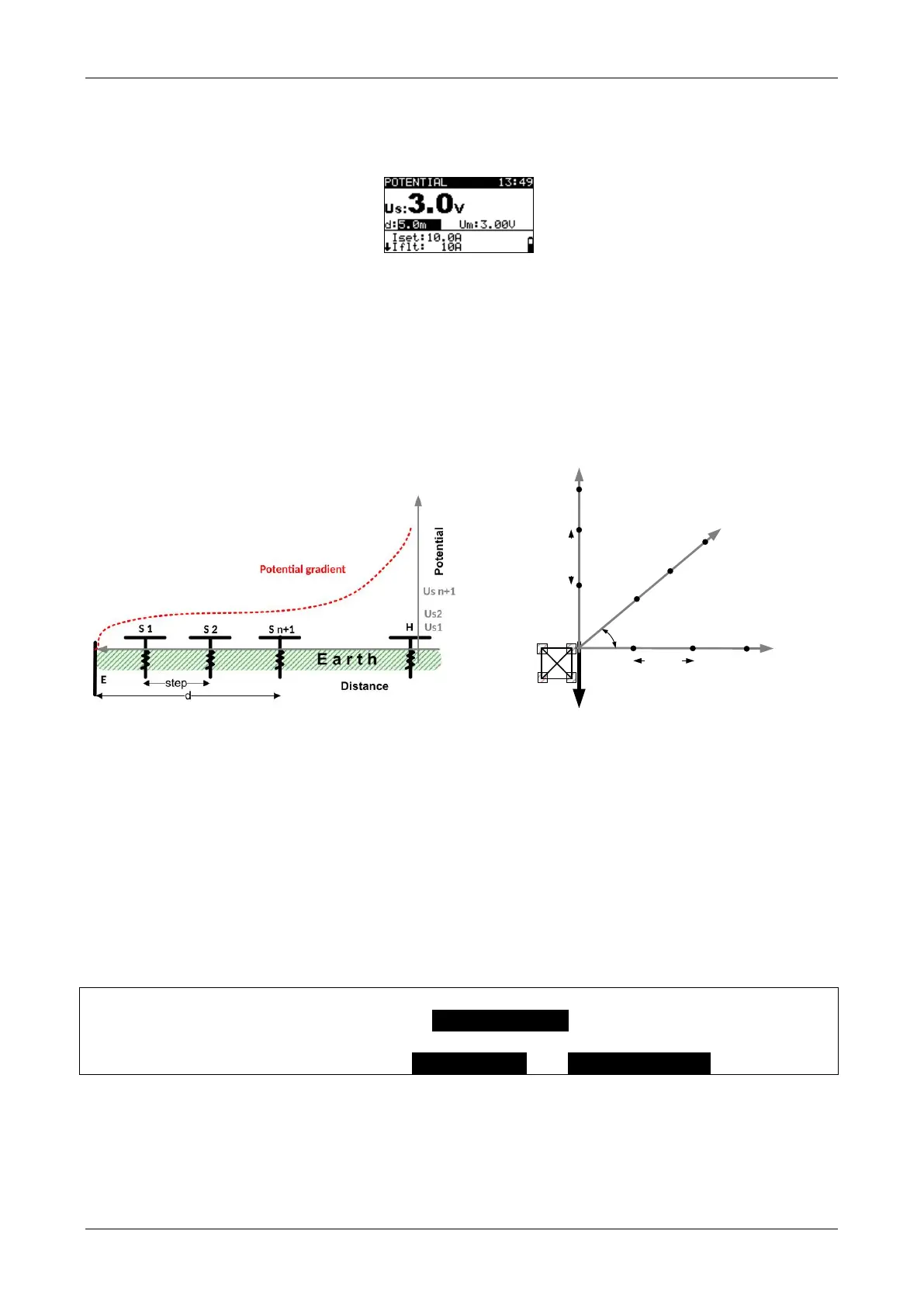
Figure 7.15: Example of Potential measurement results
Displayed results for Potential measurements:
Us ........... calculated potential
Um...........measured potential
d .............. Distance between earthing rod (E) and measurement point
Transmission Tower (4 leg)
Step Size
Grounding Rod
Us1
Us2
Us n+1
Direction ϕ = 0°
Us1
Us2
Direction
ϕ
=
45
°
Direction ϕ = 90°
Us1
Us2
Us n+1
Us n+1
ϕ
ϕ3
Step Size
Figure 7.16: Potential gradient example
(straight line)
Figure 7.17: Potential gradient example (around
the building)
7.2.5 Synchronization after the test (recommended)
If the Meter and Station were synchronized during the measurements they should be
synchronized again after finishing the tests. In this step the values of generated currents
(measured with the Station) are downloaded to the Meter. On base of the real generated
current data the correction of measured results in the Meter is done. For more information
see chapter 5.4.5 Synchronization.
Connect Meter to the Station with the RS232 cable.
On Meter select AFTER TESTS in SYNC. MI3295S menu and confirm.
Follow the information on the Meter LCD. If the synchronization succeeds a
confirmation beep will follow the connecting... and synchronizing... messages.














 To Next Page