MI 3295 Step Contact Voltage Measuring System Measurements
33
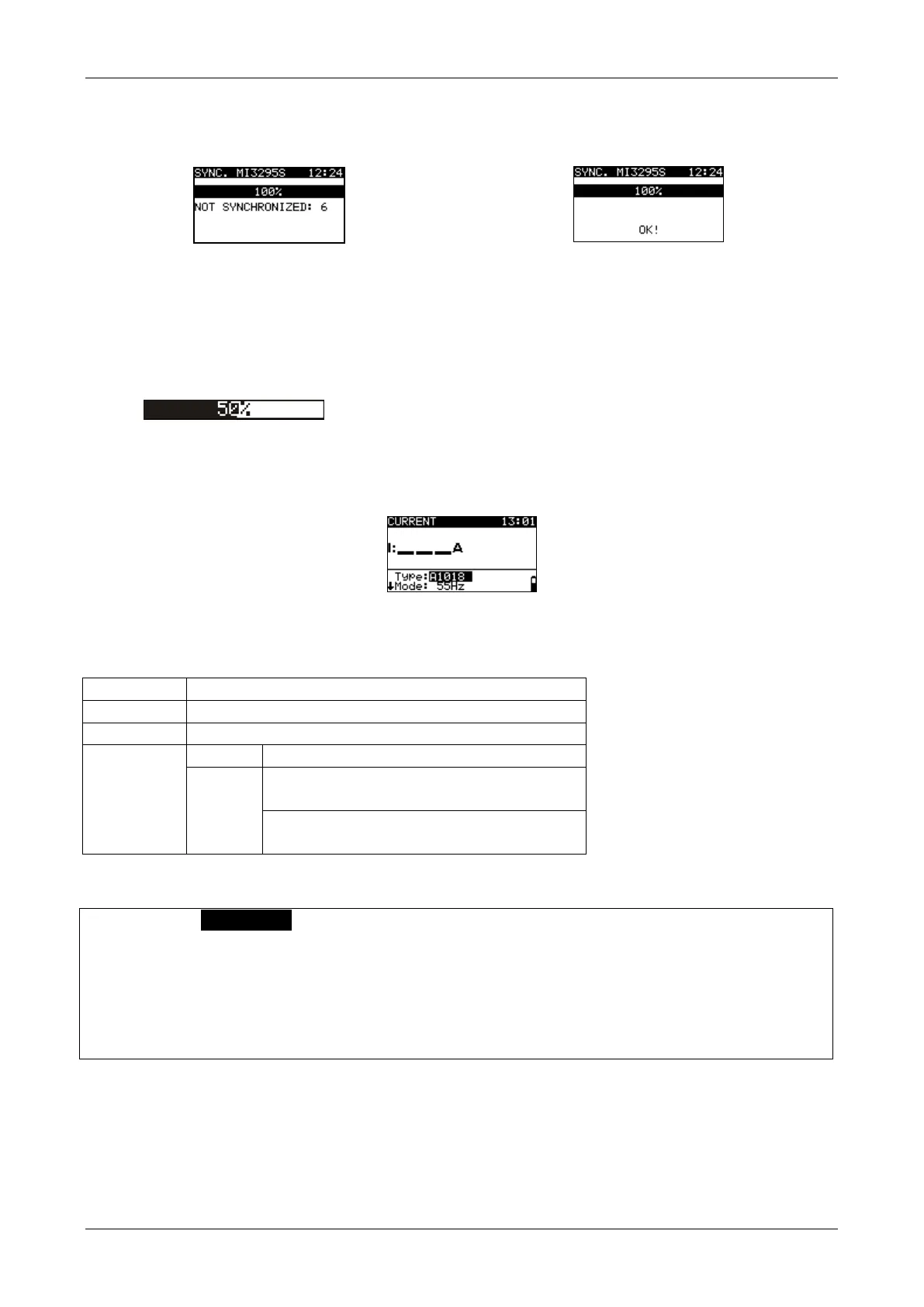
Connections for synchronization
For connection of the instruments see Figure 7.11.
Figure 7.18: Examples of synchronization screens
NOT SYNCHRONIZED: number of non-synchronized results.
Note:
Synchronization of Step voltage, Contact /Touch voltage and Potential results can
last up to several 10 seconds. A bargraph is showing the progress (
)
7.3 Current measurement
Figure 7.19: Current measurement screen
Test parameters for current measurement
Current clamp type (A1018, A1587)
Test mode (TRMS, 50 Hz, 55 Hz, 60 Hz)
Range of A1587 clamp (30 A, 300 A, 3000 A)
(Range: 30 A)
No limit, 30 mA … 25.0 A
(Range: 300 A, 3000 A)
No limit, 30 mA … 45.0 A
Current measurement
Select CURRENT function.
Set test parameters / limits (optional).
Connect the current clamp to the instrument and to the test object.
Press the TEST key to start the continuous measurement.
Wait until the test result is displayed on the screen.
Press and hold the TEST key to stop the measurement.
Store the result by pressing the MEM key (optional).














 To Next Page