ZLR964222L Line Module User Guide
23
Microsemi Corporation Confidential and Proprietary
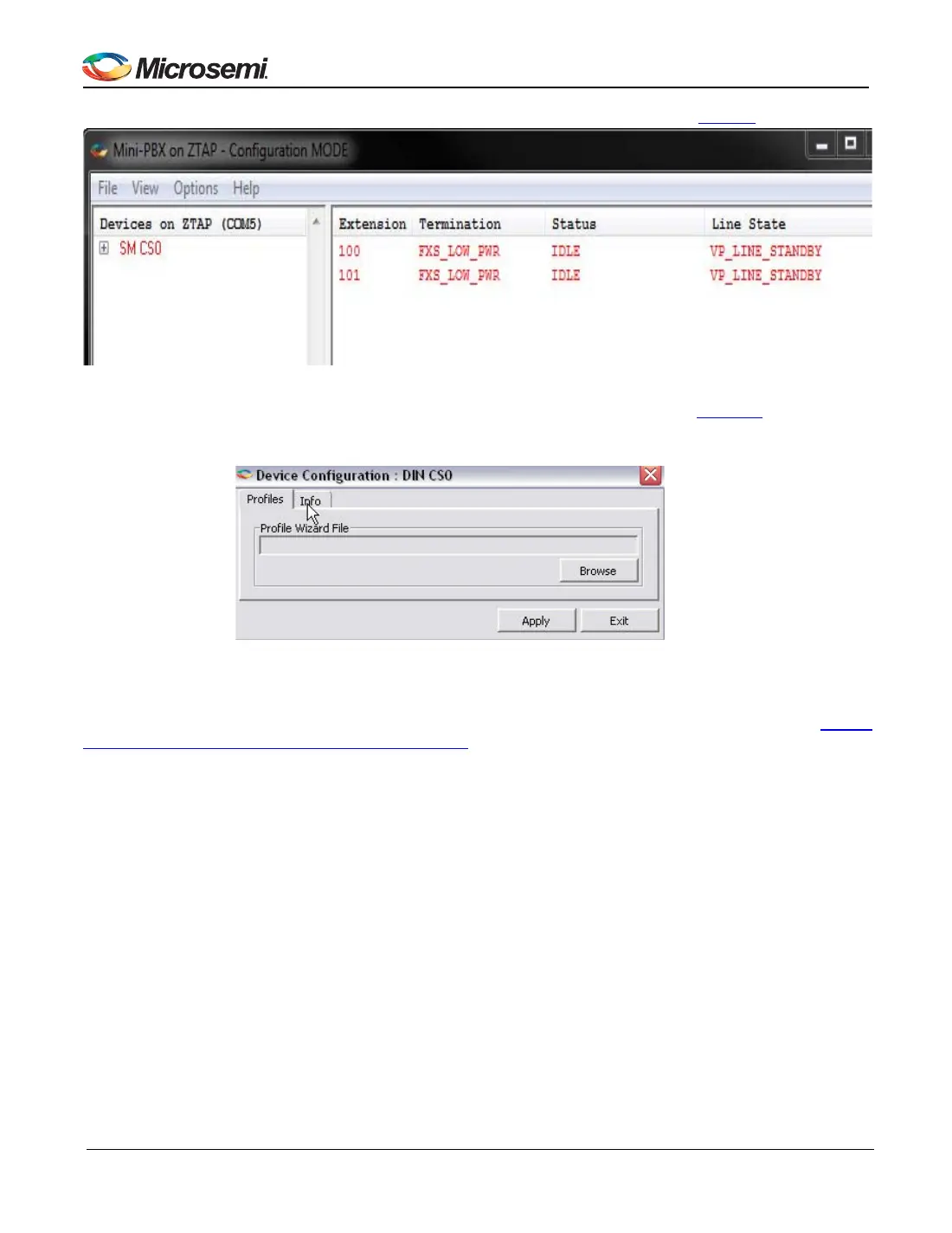
4. Double click on the location of the line module. It is SM CS0 on the example shown in Figure 9 below
Figure 9 - Mini-PBX - Configuration Mode
5. After double clicking on the line module location, a new window will open as shown in Figure 10
. The user
should click the “Browse” button and select the newly created .c Profile Wizard file.
Figure 10 - Mini-PBX - Device Configuration
After Mini-PBX loads the new profiles, it will use its values. For example, new ringing values created in Section
5.3.2, Reviewing and Editing Profile Entries, on page 22 will now take effect.


 To Next Page