ZLR964222L Line Module User Guide
5
Microsemi Corporation Confidential and Proprietary
1.0 Introduction
1.1 Overview
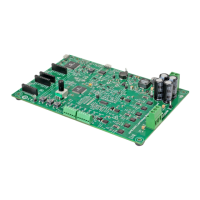
The ZLR964222L is a two-channel FXS line module designed to interface with the Microsemi Telephony
Applications Platform (ZTAP) for evaluating the Le9642 miSLIC
TM
Subscriber Line Interface Device. This user
guide provides sample operating instructions, schematic, bill of materials, and layout references. Refer to the
specific device data sheets for complete technical information.
1.2 Design Objectives
The ZLR964222L Line Module was designed to demonstrate a compact 2 FXS shared battery solution based on
the new miSLIC Series. It features one Le9642 miSLIC Subscriber Line Interface Device (48-pin QFN) with a
shared buck-boost ABS switching regulator.
The objectives of this reference design is to address the following:
• Two FXS ports with available profiles for worldwide operation.
• Population option to convert to Le9641 1 FXS.
• Optimized for lowest cost on a 2 layer PCB on Microsemi’s SM2 board profile.
• Two channel cadenced ringing will support up to 85-V
PK
and 5 REN ringer loads.
• Over-voltage / over-current protection for intra-building requirements.
• On-board 12 V input shared buck-boost ABS (BBABS) switching regulator circuit.
• Designed for up to 600 total loop.
• ZSI interface operation at up to 8.192 MHz (with ZTAP).
• DC sensing is outside the protection to allow support for VeriVoice foreign voltage tests.
• Compact 2 layer single sided component design and layout example measuring 8.25cm
2
per FXS channel.
• On board Module ID ROM (MID) provides the default device profile, AC profile, DC profile, and ringing
profile. A profile is defined by the Profile Wizard software tool for configuring Microsemi voice products.
• ZTAP and Microsemi Voice Toolkit (MiToolkit) with VP-API-II provides fully functional operation for complete
two-channel FXS operation for extensive tests meeting the data sheet specifications.
1.3 Profiles
A profile is a file that contains all of the configuration information required to set up a miSLIC device. A profile is
created by using the Profile Wizard software tool. The output from Profile Wizard is a .vpw file. Also a .h and a .c
file can be created that can be incorporated into the users system software. The Microsemi VP-API-II and
VP-API-II Lite software packages use profiles to configure the device. Note that some profiles are not available with
the VP-API-II Lite software and require that the full VP-API-II software be licensed.


 To Next Page