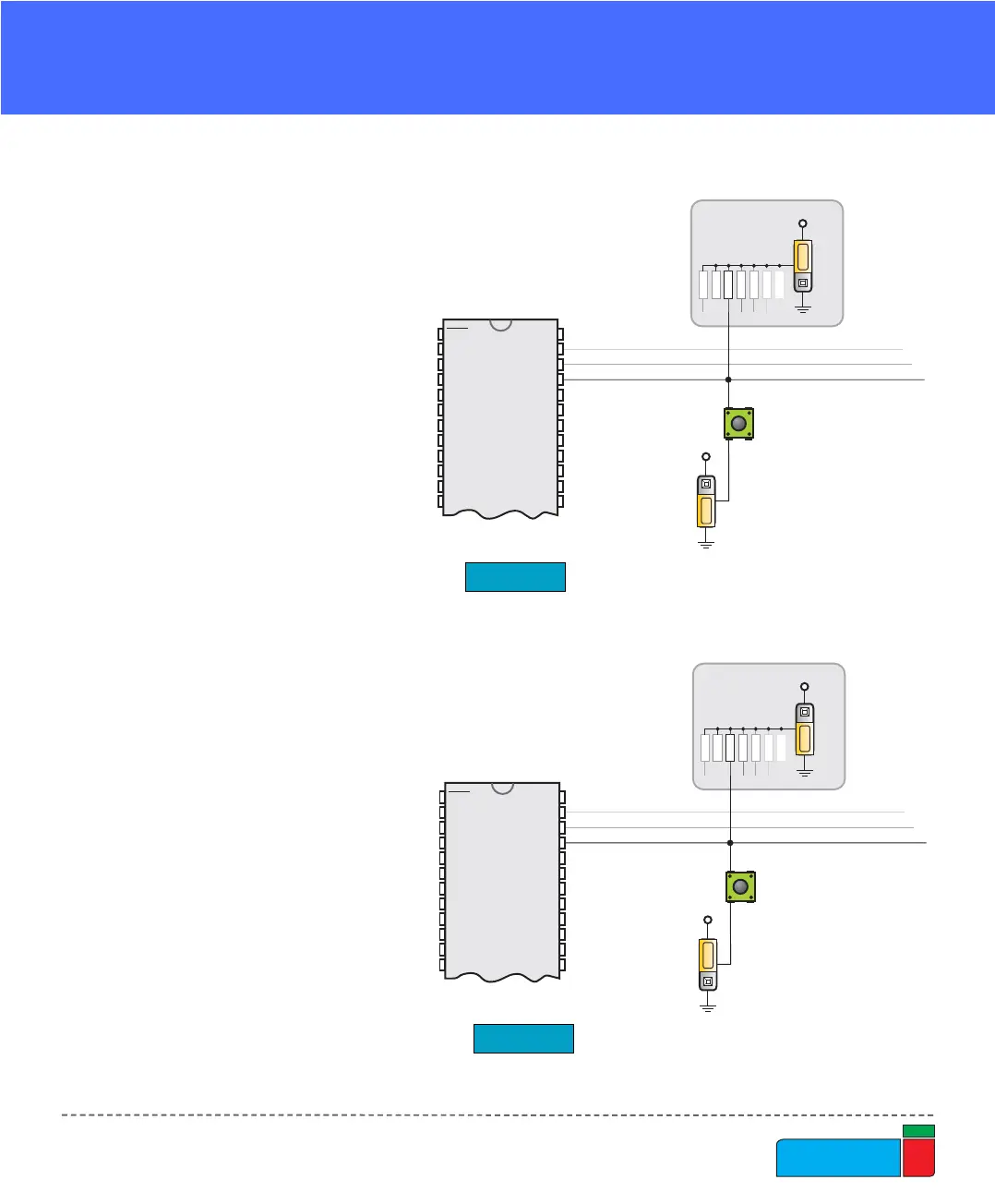
On Fig. 24 the JP21 switch is
set to pull-up, therefore when
the button is not pressed,
pull-up resistor pulls the
microcontroller’s RB4 pin to
+5V.
A button press causes the
port pin to be connected to
ground (JP17 is in the lower
position).
Thus, only when the button is
pressed the microcontroller
will sense a logical zero; oth-
erwise the pin state will
always be logical one.
On Fig. 25 the JP21 switch is
set to pull-down, therefore
when the button is not
pressed, pull-down resistor
pulls the microcontroller’s
RB4 pin to 0V.
A button press causes the
port pin to be connected to
+5V (JP17 is in the higher
position).
Thus, only when the button is
pressed the microcontroller
will sense a logical one; oth-
erwise the pin state will
always be logical zero.



 To Next Page