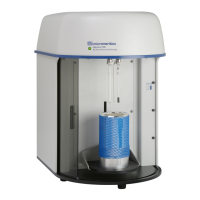
2 GeoPyc
Field or Button
Description
Absolute Density
[textbox]
The density computed after excluding from the volume that of the
pores and cavities. Up and down arrows can also be used to increase
or decrease the value.
Cancel [button]
The Start button changes to a Cancel button after an analysis starts.
Discards any changes or cancels the current process.
Chamber + medium
mass [textbox]
Mass of the chamber plus the mass of the medium. Up and down
arrows can also be used to increase or decrease the value.
Chamber changed
Message displays when the chamber size differs from the previous
analysis.
Chamber diameter
[textbox]
Internal diameter of the chamber.
ID [textbox]
The ID for volume, calibration, volume of the standard, or the mass,
density, and porosity must be specified in the SOP.
Mass [textbox]
The mass of the sample. Up and down arrows can also be used to
increase or decrease the value.
Method [textbox]
The method used for the analysis.
Name [textbox]
Brief description of the analysis.
Pause [button]
Pauses the analysis.
Resume [button]
Resumes an analysis after the analysis has been paused.
SOP [drop-downbox]
Select the SOPfrom the drop-down list. SOPs are available when cre-
ated and saved from the SOPmenu.
Start [button]
Starts the analysis with the currently selected SOP and parameters.
when the chamber for the selected SOP is different from the previous
analysis, a Chamber Changed message displays. The Start button
changes to Cancel and Pause when the analysis starts.
Analysis Fields and Buttons Table
2 - 2
GeoPyc 1365 Operator Manual
136-42800-01 (Rev -) — Dec 2016


 To Next Page