6 MAINTENANCE
These settings affect the operation of the analyzer. Make changes only under the dir-
ection of a Micromeritics service representative.
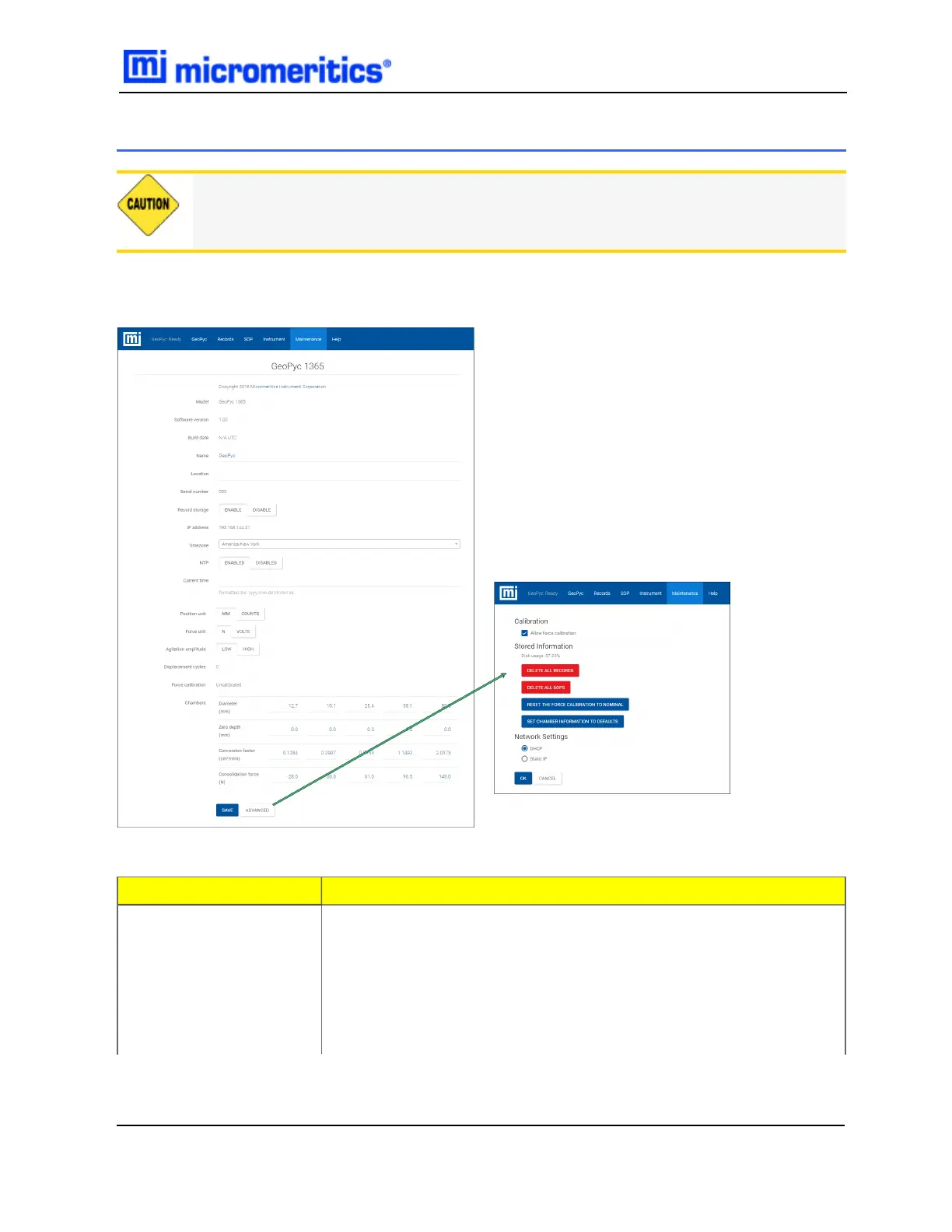
Shows information about the analyzer, allows unit selection, and allows editing of the chamber
parameters.
Field or Button
Description
Advanced [button]
Administrator level configuration options — enabled only when the
analyzer is in the Ready state.
Application. Tap the Download and Install..... button to download
and install the latest version of the application. This button does not
display on a remote computer nor does it display if the analyzer
application is up-to-date.
Maintenance Fields and Buttons Table
6 Maintenance
GeoPyc 1365 Operator Manual
136-42800-01 (Rev -) — Dec 2016
6 - 1


 To Next Page