2 GEOPYC
GeoPyc >[SOPSelection]
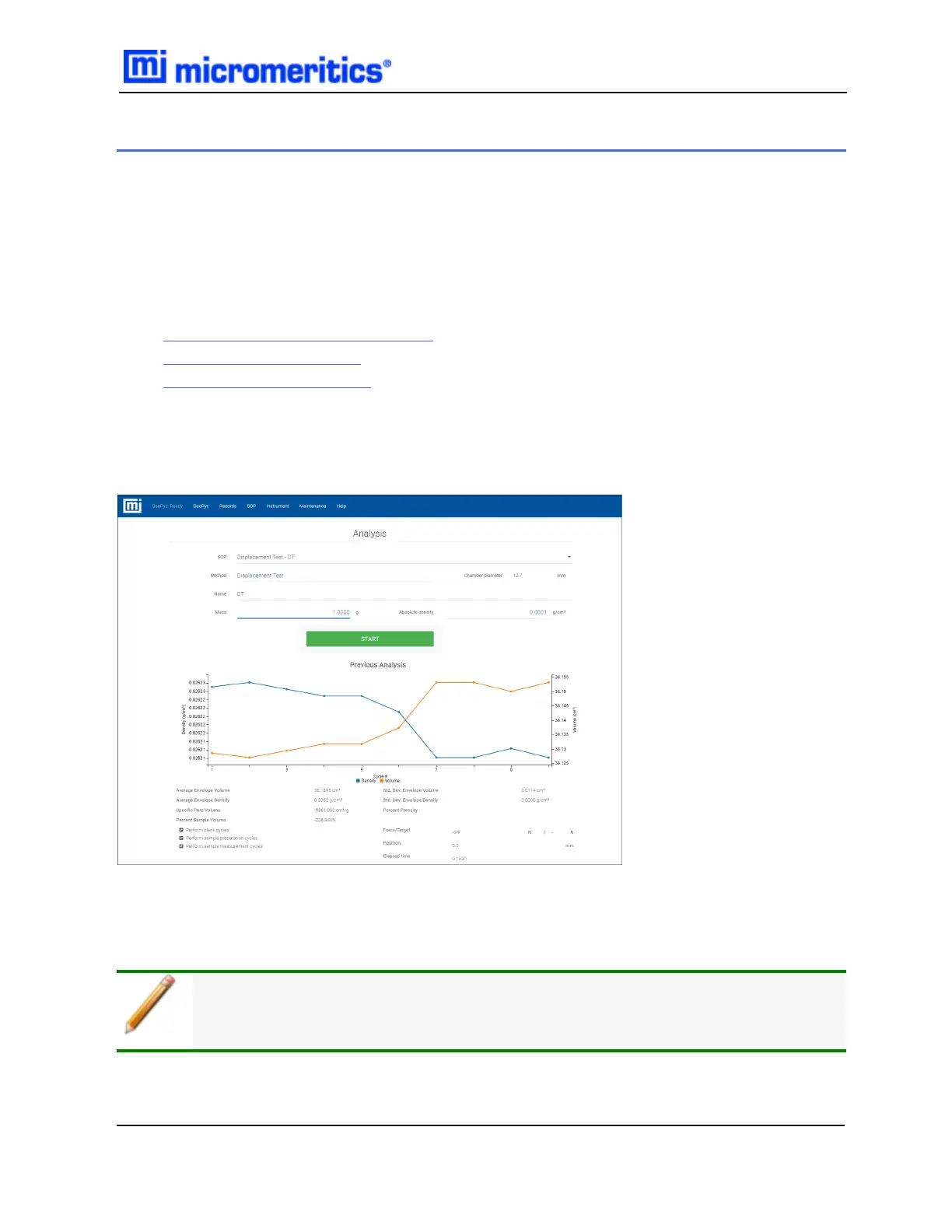
Use to perform and monitor analyses and calibrations.
The GeoPyc performs three types of analyses. All analyses are run from the GeoPyc menu option.
The type of analysis is determined by the SOPfield selection. To obtain reproducible analysis
results, the runs should be performed in the following sequence:
1. Volume Calibration on page2 - 4
2. Blank Data on page2 - 6
3. Sample Run on page2 - 9
When Start is tapped, the button changes to Cancel. When Cancel is tapped, the button changes
to Start. Analysis stops after the blank stage of an analysis or calibration with measured blank so the
sample can be placed in the chamber.
After a blank analysis, the data become part of the blank data set for the selected chamber. After a
volume calibration, the new conversion factor is stored in the selected chamber. After a zero depth
measurement, the zero depth is stored for the selected chamber.
Only fields and buttons applicable to the selected SOP display.
2 GeoPyc
GeoPyc 1365 Operator Manual
136-42800-01 (Rev -) — Dec 2016
2 - 1


 To Next Page