6 Maintenance
POWER ANALYZER ON AND OFF
No warmup is needed unless the analyzer has been moved recently from an area that is much colder
or much warmer than the current location. In that case. Allow the analyzer to reach room
temperature before powering ON.
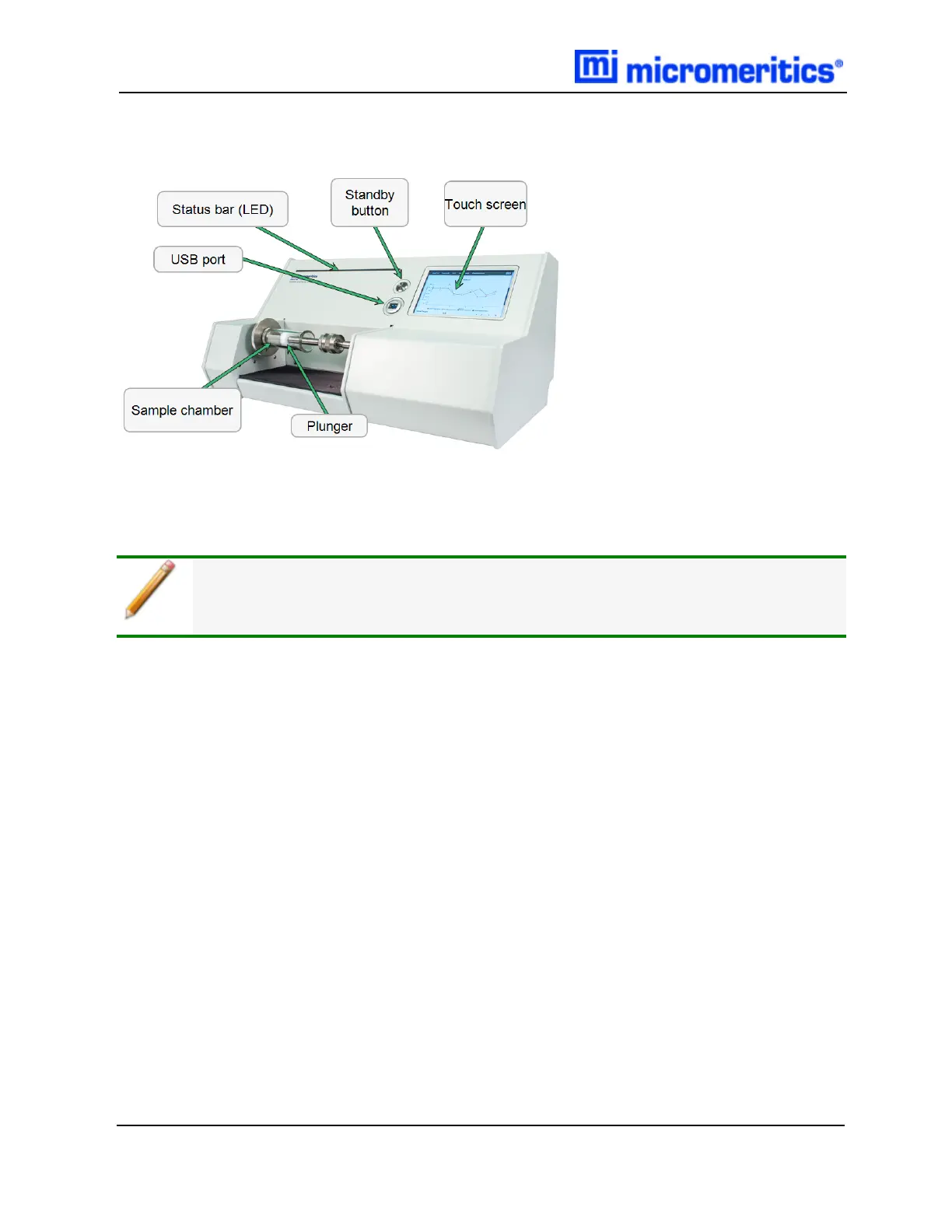
There is no hard power switch for the GeoPyc 1365. When the analyzer is plugged in,
power is applied to the analyzer.
POWER-ON SEQUENCE
1. Plug in the analyzer. (There is no ON/OFF power switch for the instrument.)
l The Standby button LED illuminates orange while the system is booting up.
l When the bootup process completes and the analyzer application is running, the Standby
button LED illuminates blue.
2. When the Standby button illuminates blue, press the Standby button to activate the touch
screen. The Standby button is no longer illuminated.
6 - 6
GeoPyc 1365 Operator Manual
136-42800-01 (Rev -) — Dec 2016


 To Next Page