2-12 Micron Electronics, Inc.
Micron ClientPro 766Xi/Xe User’s Guide
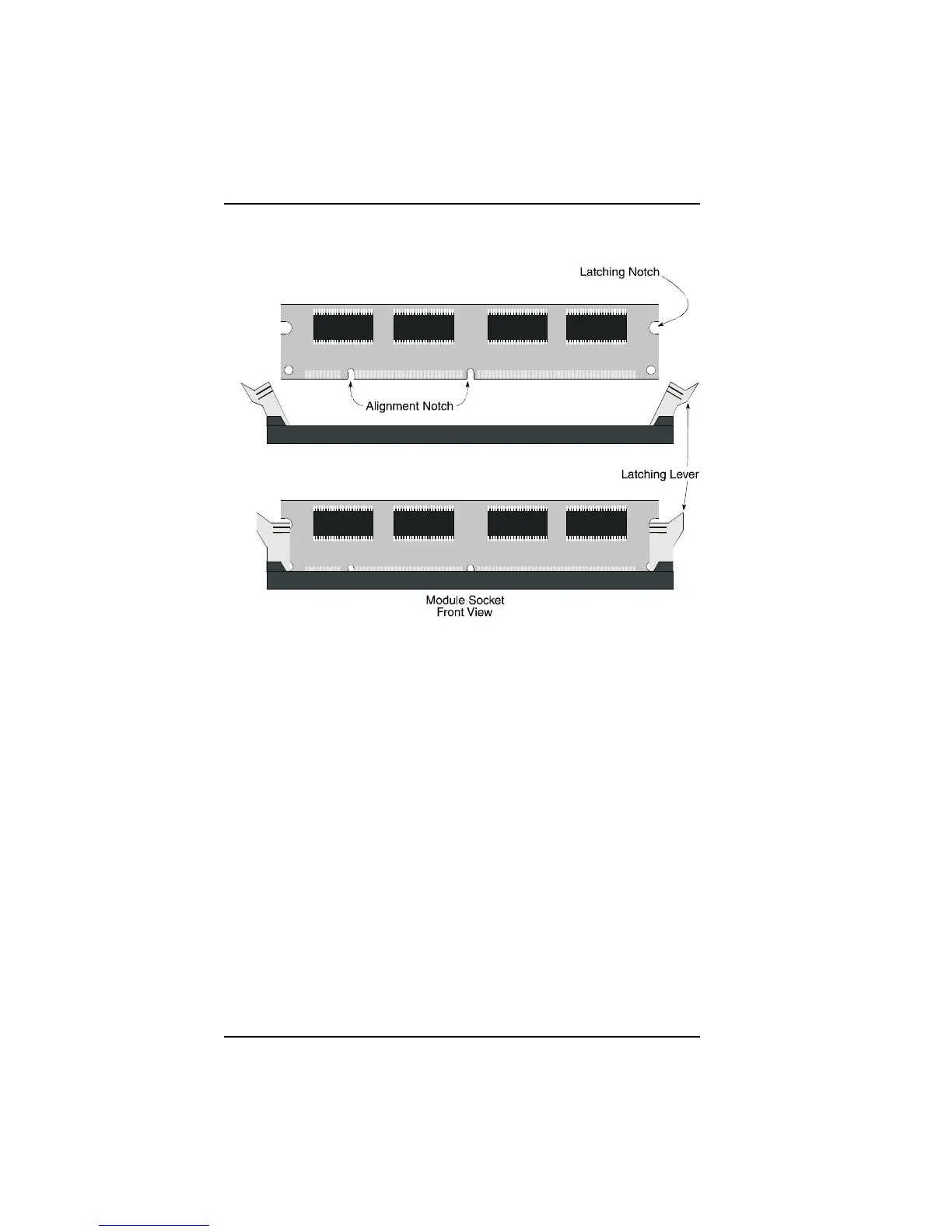
Figure 2-8. DIMM Fully Seated
Removing DIMM Modules
To remove DIMM modules, simply reverse the installation procedure with
the following differences. Using the thumbs of both hands, gently pry the
latching levers open so they no longer hold the module in the socket. Gently
lift the module upward to clear the latching levers.



 To Next Page