3-14 Micron Electronics, Inc.
Micron ClientPro 766Xi/Xe User’s Guide
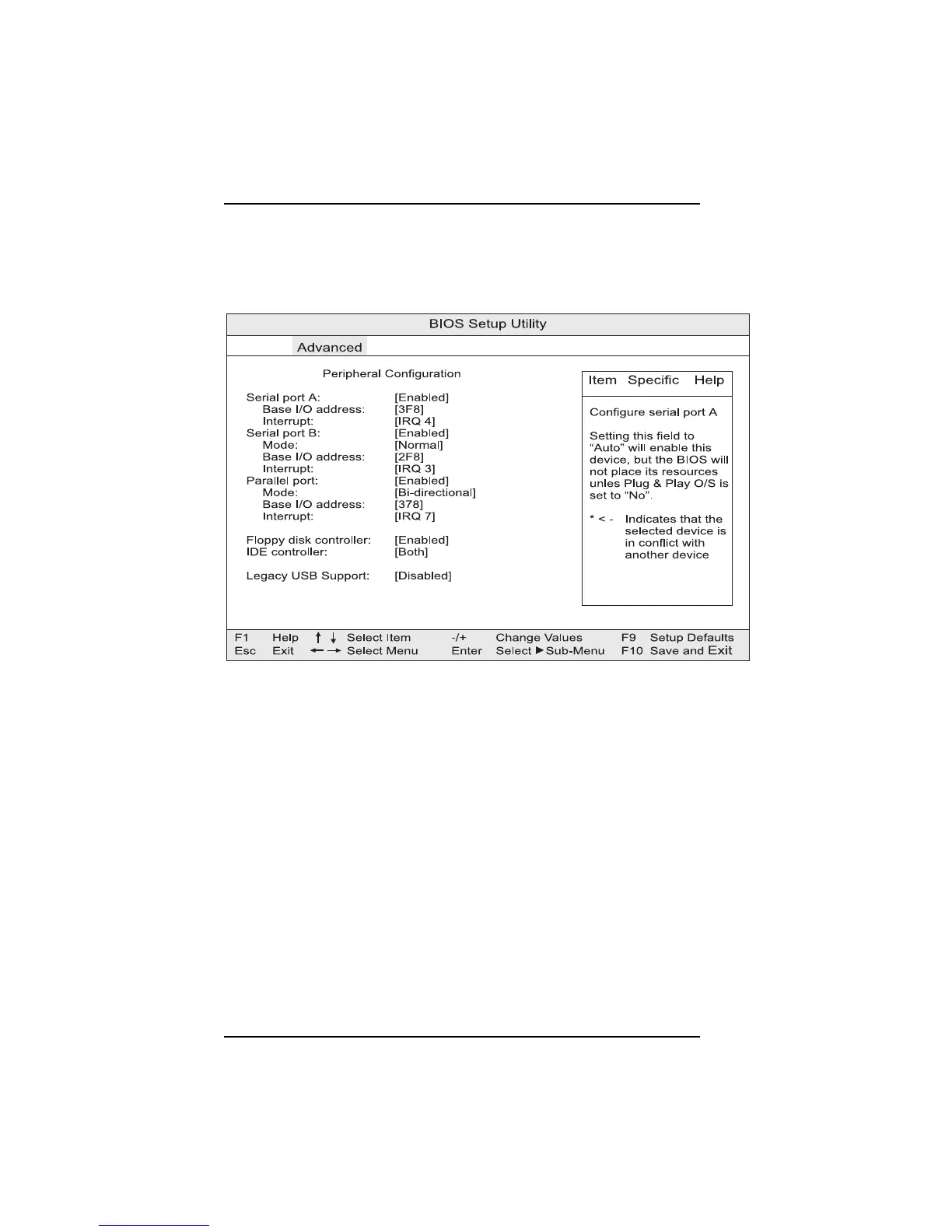
Figure 3-9. Peripheral Configuration submenu
Serial port A
Configures serial port A. “Auto” assigns the first free COM port, normally
COM 1, the address (3F8), and the interrupt (IRQ 4). An * (asterisk) displayed
next to an address indicates a conflict with another device.
Serial port B
Configures serial port B. “Auto” assigns the first free COM port, normally
COM 2, the address (2F8), and the interrupt (IRQ 3). An * (asterisk) displayed
next to an address indicates a conflict with another device.
Note:
If either serial port address is set, that address will not appear in the list of
options for the other serial port.
Mode
Specifies the mode for Serial Port B for normal (COM 2) or infrared applications.
Peripheral Configuration Submenu
This section describes the setup options for the Peripheral Configuration
submenu.



 To Next Page