Micron Electronics, Inc. 3-21
Chapter 3: The BIOS Setup Program
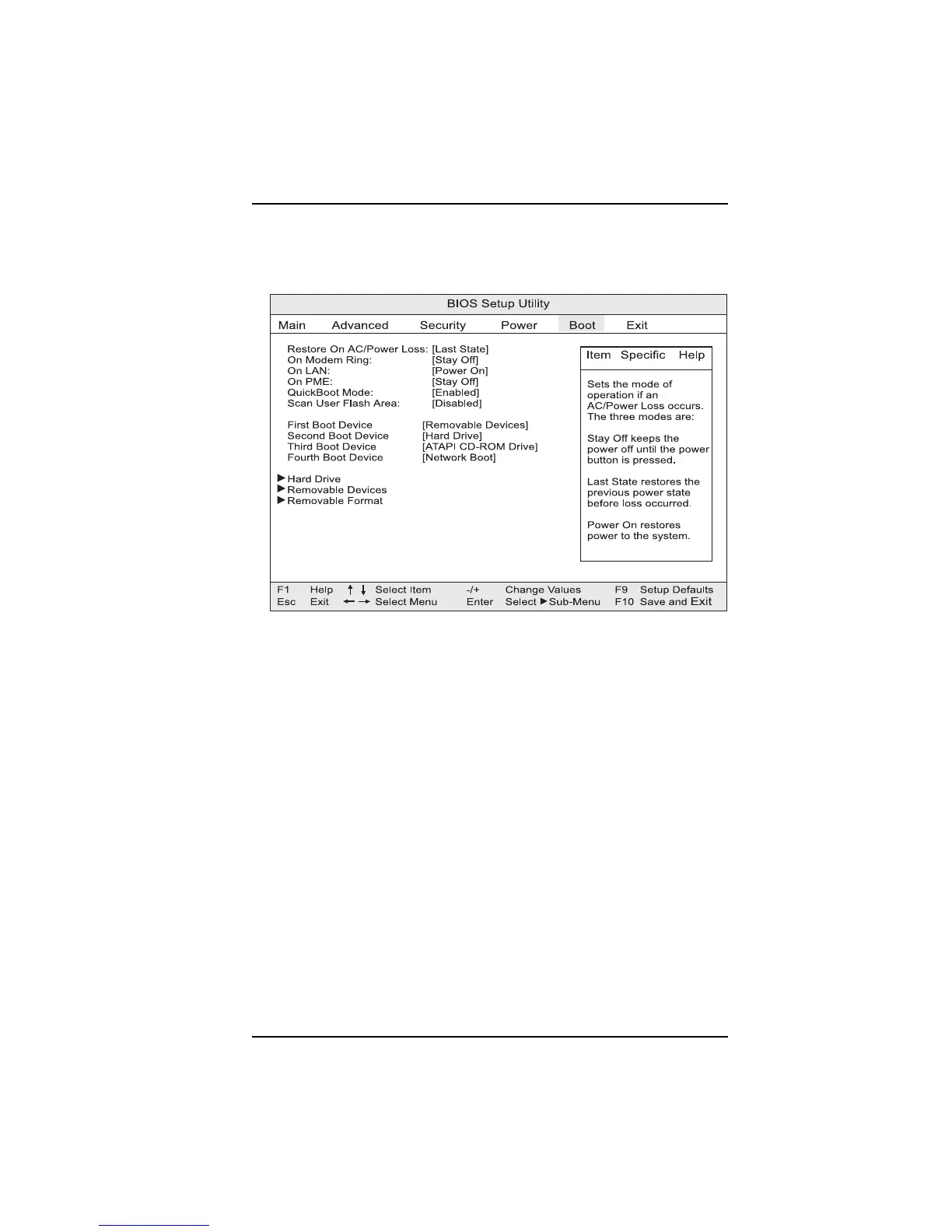
Setting the CMOS Boot Menu
This menu is used to set the boot features and the boot sequence.
Figure 3-15. Boot menu
Restore on AC/Power Loss
This setting determines how your computer will respond following a power
failure. “Stay Off” keeps power off until the power button is pushed. “Last
State” restores previous power state before power failure occured. “Power
On” restores power without restoring previous power state.
On Modem Ring
Specifies how the computer will respond to an incoming call on an installed
modem when the power is off.
On LAN
Specifies how the computer responds to a LAN wakeup event when the power
is off.
On PME
Specifies how the computer responds to a PCI power management enable event
when the power is off.



 To Next Page