5-26 MS-4 Imager User’s Manual
Setting Up the Imager for EZ Trax
Setting Up the Imager for EZ Trax
If you are using
EZ Trax
software, it is important to set up the MS-4 correctly before beginning.
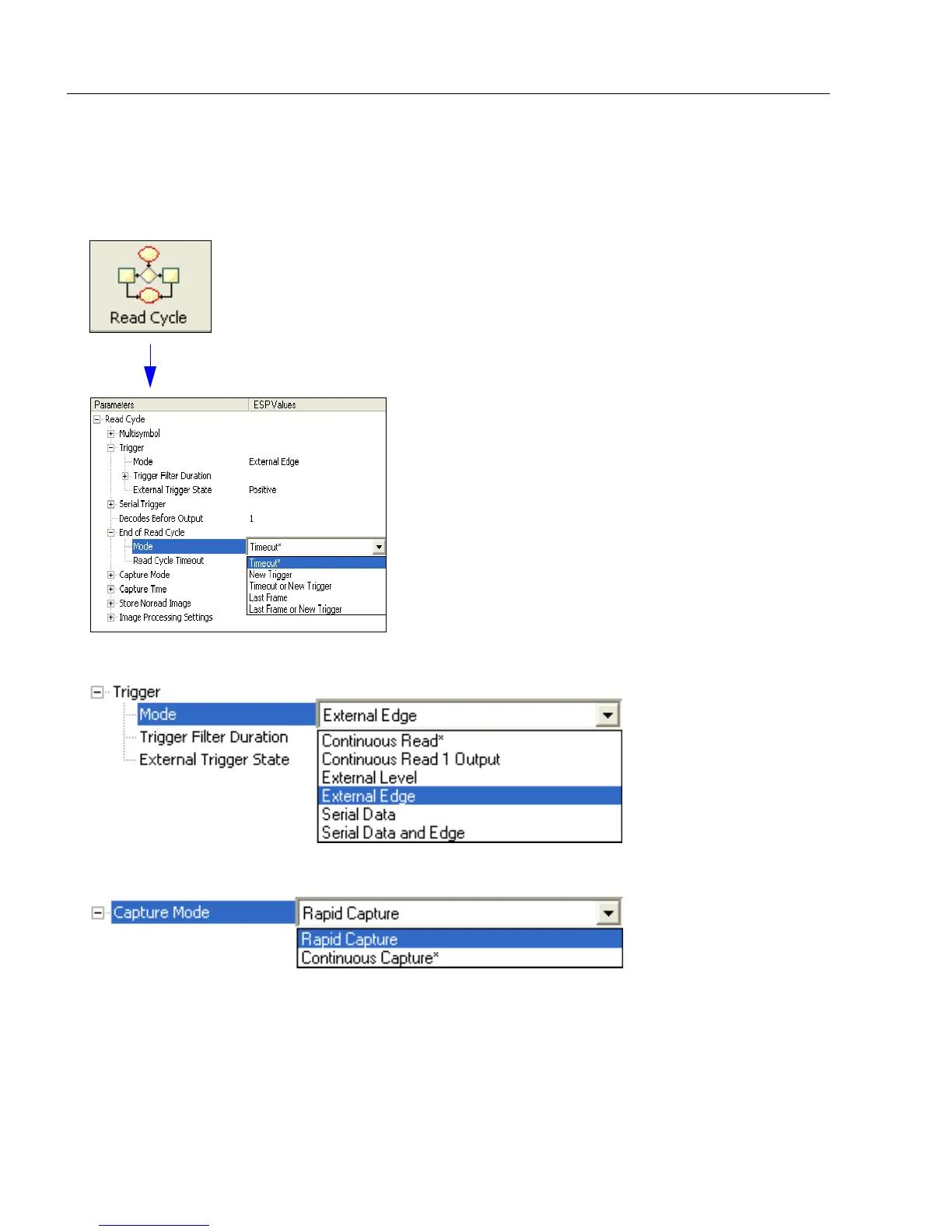
Click the Read Cycle button to display the Read Cycle tree control.
Set Trigger Mode, <K200>, to External Edge.
Set Capture Mode, <K241>, to Rapid Capture.
Once these Read Cycle parameters are set, you will be ready to connect to EZ Trax. For a
description of how to configure
EZ Trax
using serial commands or
ESP
, see
Configuring EZ
Trax Output
in Chapter 7,
I/O Parameters
.
For more detailed information about using EZ Trax, refer to the Help menu in EZ Trax
software, or the EZ Trax Quick Start Guide, available on the Microscan Tools CD.



 To Next Page