1-2 MS-4 Imager User’s Manual
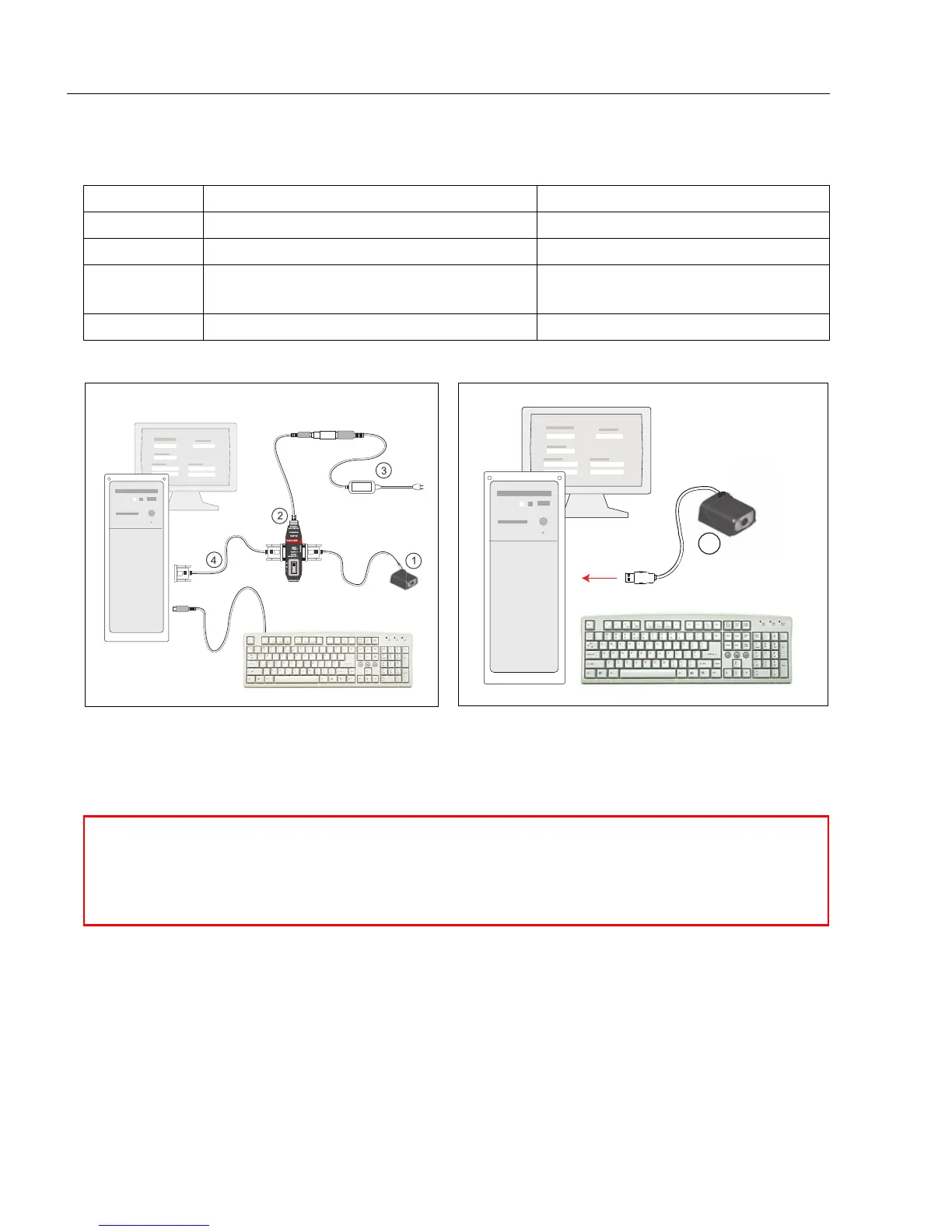
Check Required Hardware
Step 1 — Check Required Hardware
Item Description Part Number
1 MS-4 Imager FIS-0004-XXXXG
2 IB-3PC FIS-0001-0030G
3 Power Supply
97-000002-01 (90-264 VAC, +5VDC)
97-100004-15 (24VDC)
4 Comm. Cable 61-000010-02
To additional imagers
or terminating resistor
To host
1
Hardware Required (RS-232 / RS-422)
Caution: Be sure that all cables are connected BEFORE applying power to a
system with an external power source (RS-232 / RS-422). Always power down
BEFORE disconnecting any cables.
Hardware Required (USB)



 To Next Page