13-8 MS-4 Imager User’s Manual
Master Database
Master Database
Important: The Master Database is used for all Matchcode modes except Sequential
and Wild Card, both of which use Master Database Index # 1.
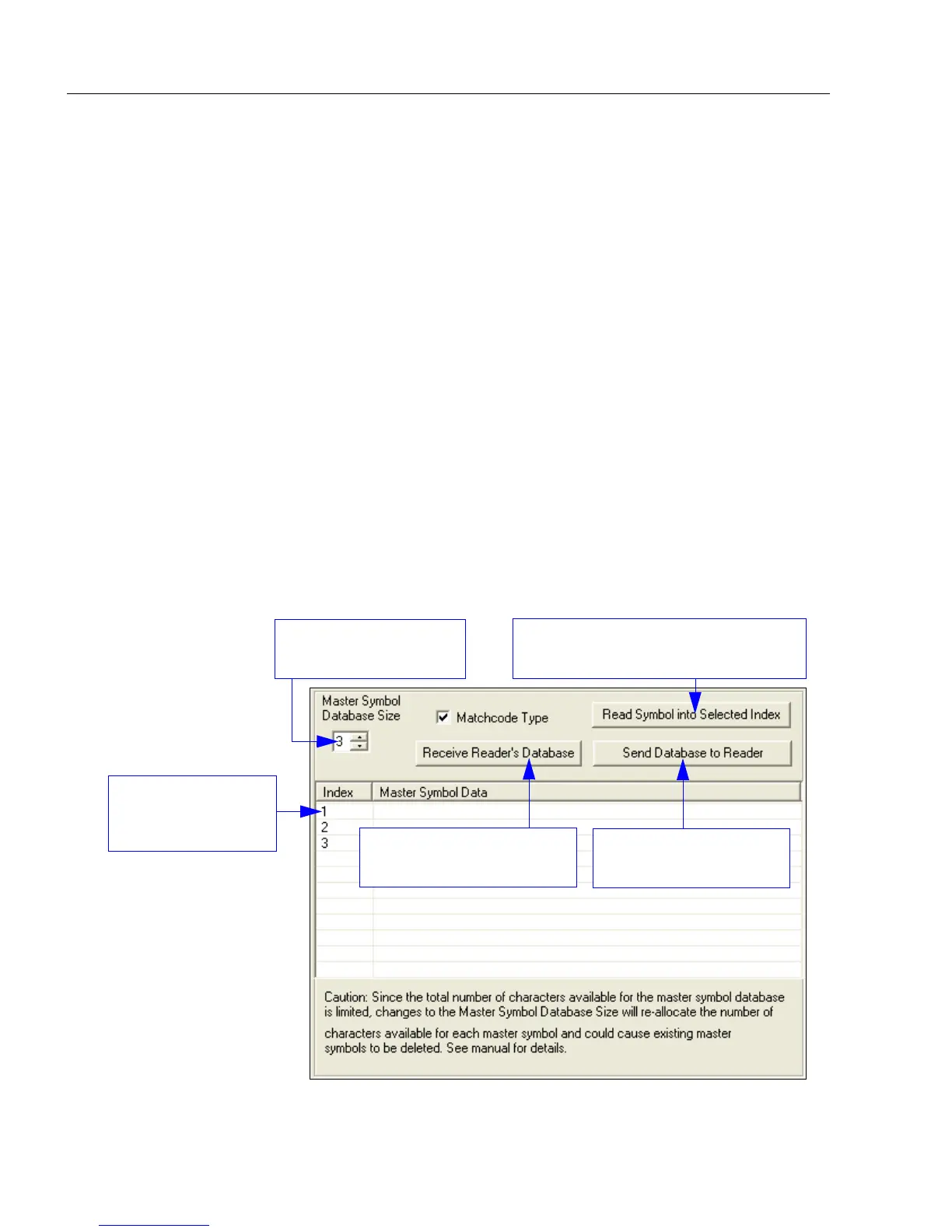
Master Database Overview
1. Click the Master Database tab.
2. Enable Matchcode Type.
3. Set the Master Symbol Database Size.
4. Select the database index in which you want to enter the master symbol.
5. Do one of the following to enter master symbol data:
a. Double-click the index row to type data directly into the index.
b. Click the Read Symbol into Selected Index to enter the next decoded symbol.
Usage: Used where more than one master symbol is required, as in a Multisymbol
setup, for matching and other Matchcode operations.
Definition: Allows the user to define up to 10 master symbols as the master symbol
database, which can be entered by keyboard, scanned in, displayed, or
deleted by serial or ESP commands.
Loads the next symbol decoded into
the selected index.
Saves the displayed
database to the Imager.
Set Master Symbol
Database Size here.
Loads the Imager’s saved
master symbols into ESP.
Double-click a row
to enter data into
popup dialog box.



 To Next Page