2-14 MS-4 Imager User’s Manual
Navigating in ESP
Navigating in ESP
To change Imager settings, or to access the Utilities, Camera, Terminal, or Output Format
views, click the App Mode button.
To return to EZ Mode, click the EZ Mode button.
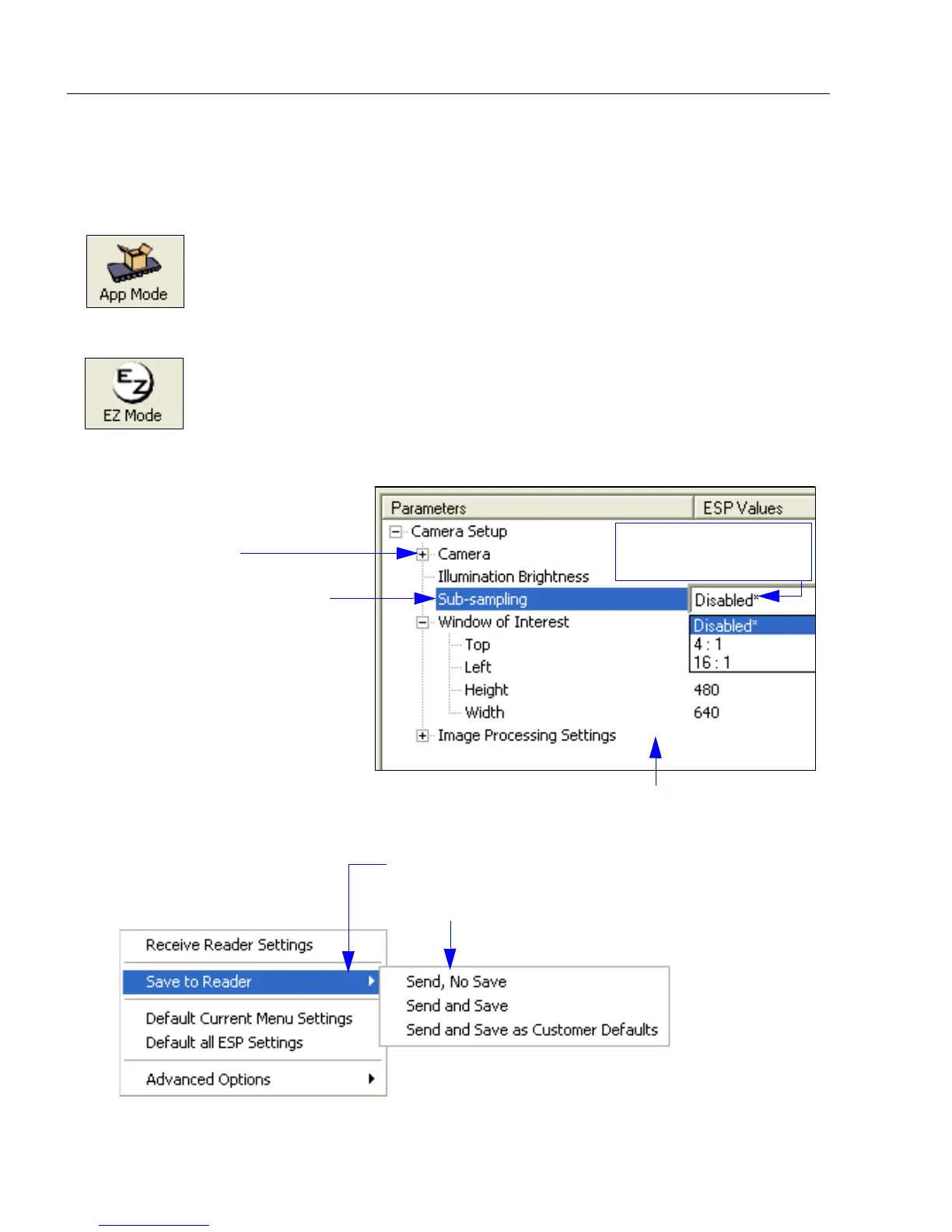
To make changes to configuration settings in the control trees:
1. Left click on the + to expand
menu items.
2. Double click the desired
parameter and single click
in the selection box to view
options.
3. Place your cursor in the
selection box, scroll down
to the setting you want to
change, and single click
the setting.
4. Left click again on the open screen to complete the
selection.
5. Right click on the open screen and select Save to
Reader to implement the command in the Imager.
You can send the command without saving it, or you
can send and save the command simultaneously.
The X denotes the
default option setting.



 To Next Page