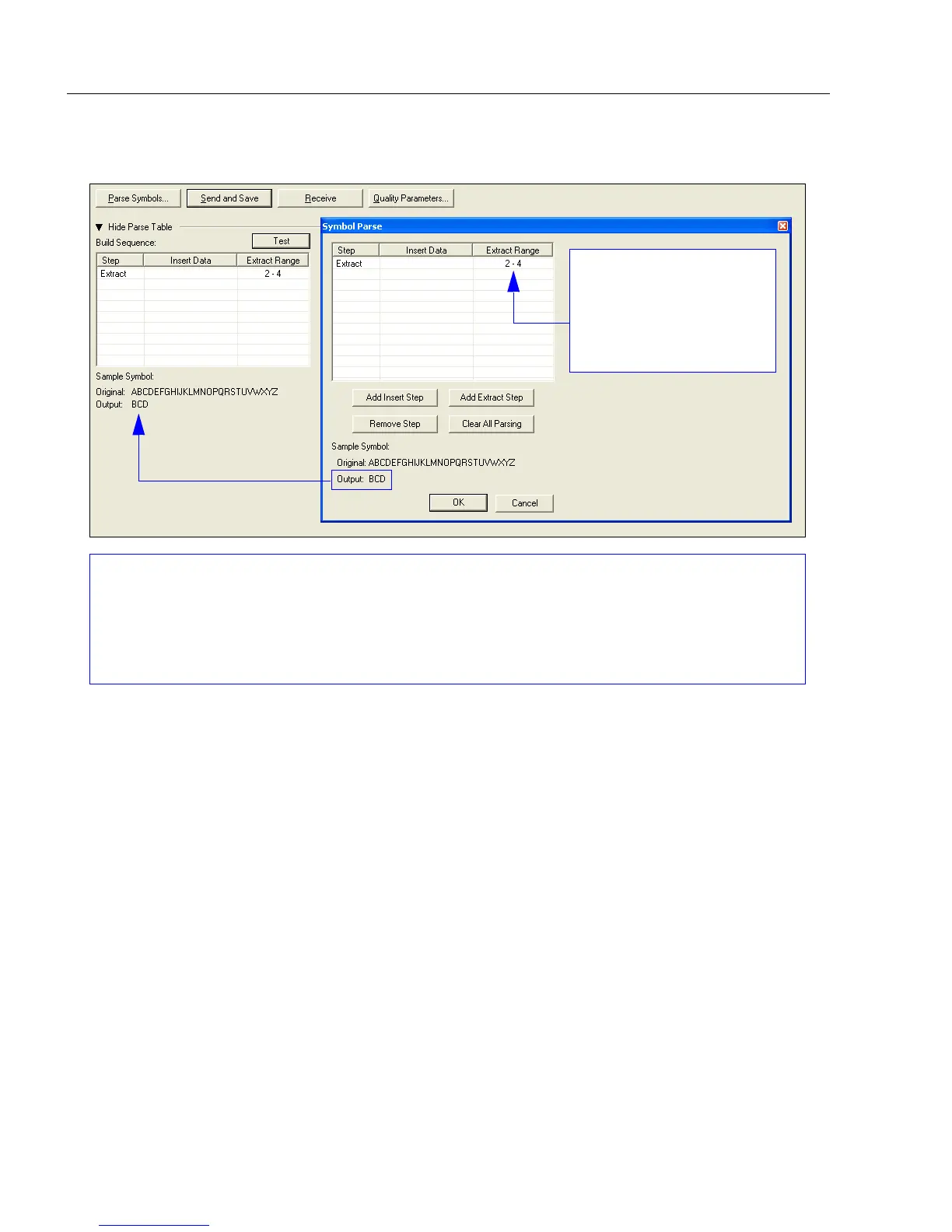
You can extract and insert several character sequences using ESP’s Symbol Parse feature.
In this example, the selected extraction range is characters 2-4. The “Sample Symbol” example
on the Symbol Parse dialog shows the selected character positions extracted and output as
desired. Simultaneously, the data string from the actual selected symbol is displayed at the
bottom left of the Parse Table, followed by the user-defined extracted output.
The Extract Range
function corresponds to
the Start Location and
Length parameters in
the Format Extract
serial command.



 To Next Page