12-2 MS-4 Imager User’s Manual
Terminal Window
Terminal Window
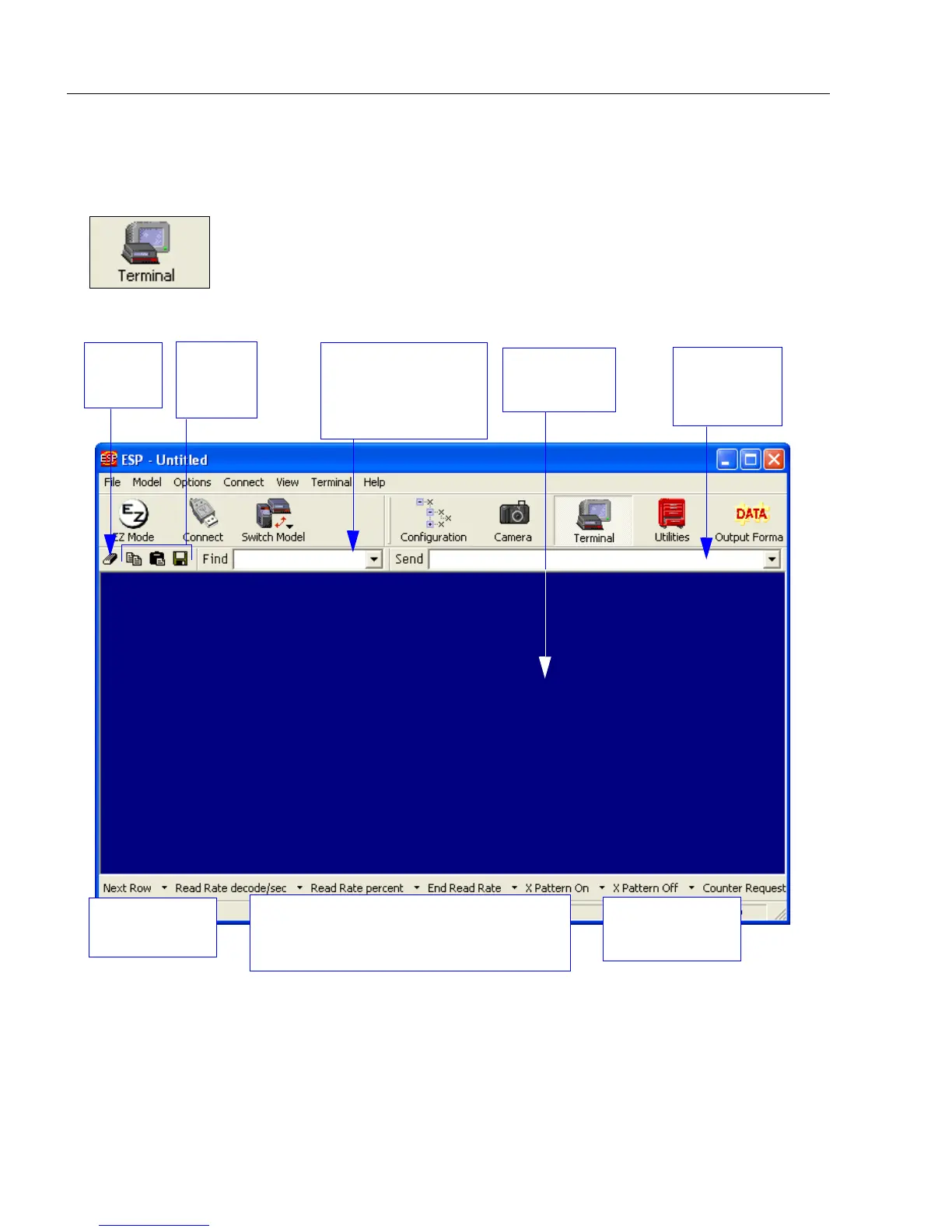
To use ESP’s Terminal, click on the Terminal button:
You will see this window:
The Terminal screen allows you to send serial commands to the Imager by using Macros,
by copying and pasting, or by typing commands in the Send text field.
The Terminal screen also displays symbol data or information from the Imager.
You can also right click on the Terminal screen to bring up a menu of further options.
Clear
screen
Copy,
paste,
save
Type text here to
find matching text
in the Terminal
window.
Terminal
screen
Type serial
commands
here.
Macros listed
on this bar
Click on Macros arrow to Add Macro,
Remove Macro, or Edit Macro.
Click on desired
Macro to run.



 To Next Page