MS-4 Imager User’s Manual 11-11
Configuration Database
Image Dimensions
Window of Interest (WOI) by ESP
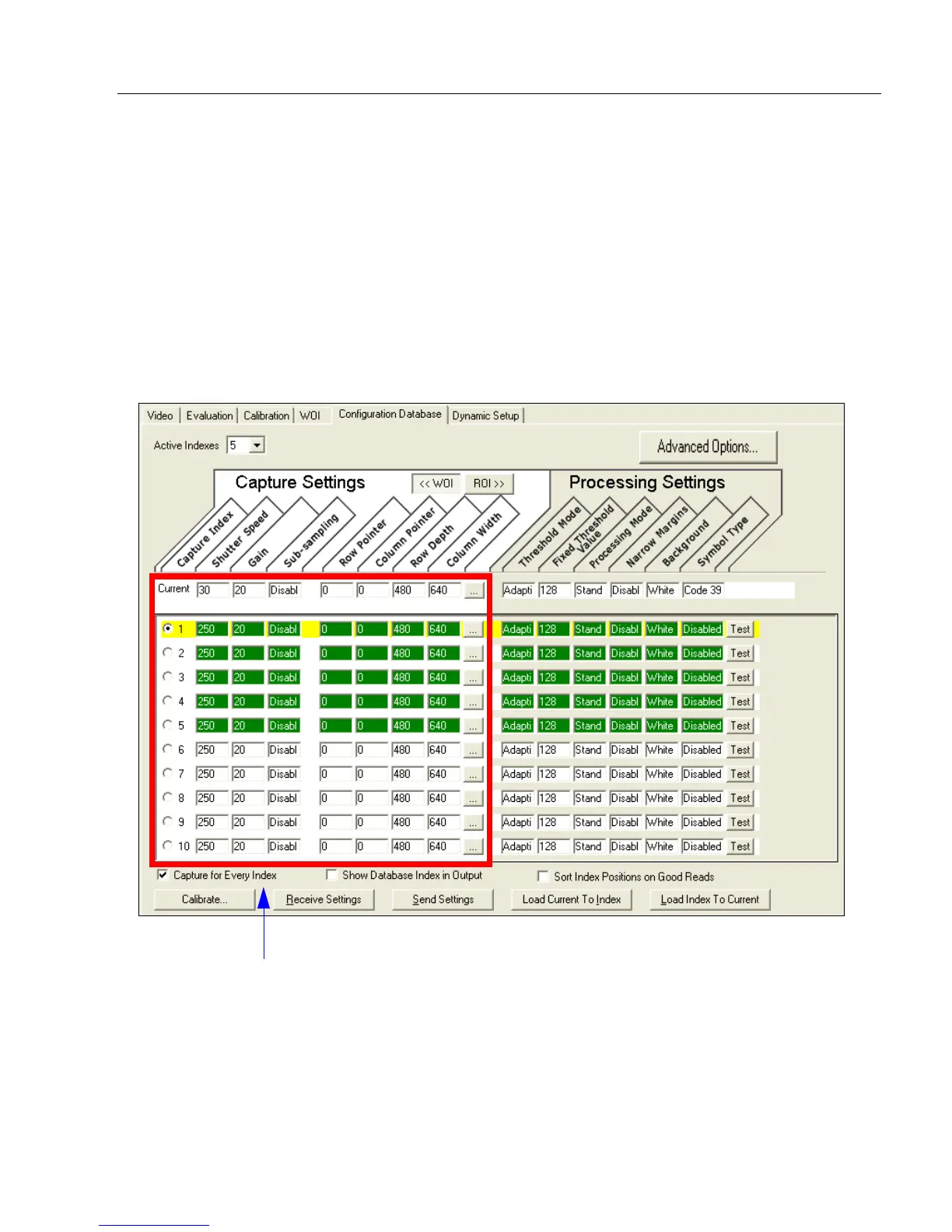
When Image Dimensions is set to Window of Interest, the database image dimension
parameters are camera settings, and they determine the size of the image to be captured.
Definition: Determines how the image dimension parameters will be implemented.
Serial Cmd:
<
K256,
switch mode,frame count/time,image process looping,
image dimensions
>
Default: 0
Options: 0 = Window of Interest 1 = Region of Interest
Camera settings (Capture Index, Shutter Speed, Gain, Sub-Sampling) located in
the left half of the highlighted area.
Image capture dimensions (Row Pointer, Column Pointer, Row Depth, Column
Width) located in the right half of the highlighted area.



 To Next Page