Specifications
Status LEDs
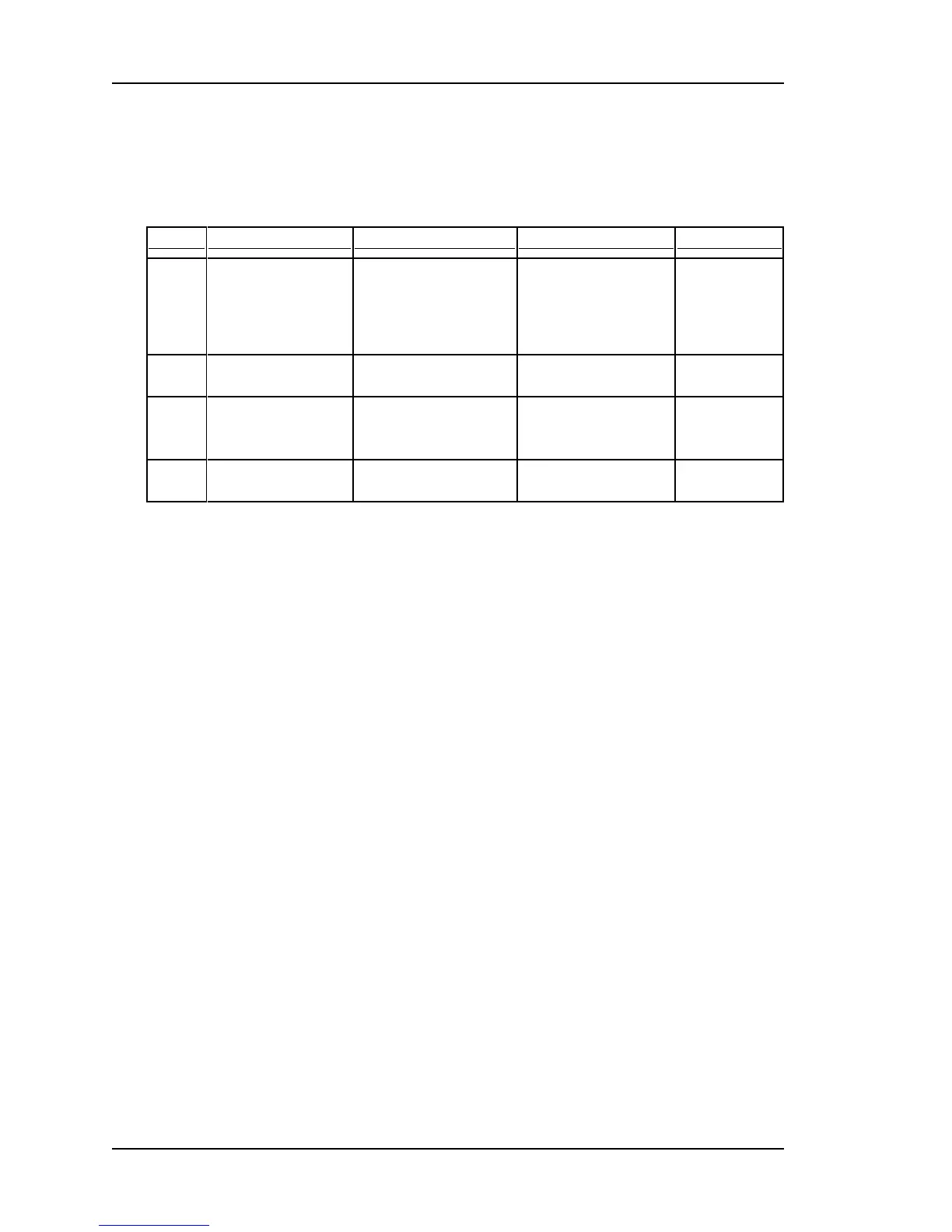
The four tricolor LEDs provide the following status information:
Red Orange Green Dark
Sync
SyncServer is not
synchronized to a ref-
erence.
NTP Stratum 16.
SyncServer is syn-
chronized to a remote
NTP server.
NTP Stratum 2-15.
SyncServer is syn-
chronized to an Input
Reference.
NTP Stratum 1.
Power off.
Network
Link failure on the
LAN1.
Link failure on the
LAN2, or LAN3.
All configured ports
operational.
Power off.
NTP
>3200 NTP packets
per second.
> 2000 packets per
second.
NTP activity within the
last second.
No NTP activ-
ity in the last
second.
Alarm
Major Alarm. Minor Alarm. No Current/Enabled
Alarms.
Power off.
See the Troubleshooting (on page 115) topics to resolve problems with Red and Orange
LEDs.
Also see Stratum (on page 181).
Keypad/Display
The keypad/display displays the time, status information, and provides functions described
by Keypad/Display Interface (on page 73).
Keypad
Description:19-button firm silicone rubber keypad
Functionality:User input device
Arrow keys: Left, Right, Up, Down
Numeric keys: 0 through 9
Command keys:ENTER, CLR, TIME, STATUS, MENU
Display
Description:256 x 32 pixel vacuum fluorescent display (VFD)
Functionality:Displays time, status, and functions. User-configurable brightness levels.
Page 84..........................................................................997-01520-02 Rev. G2



 To Next Page