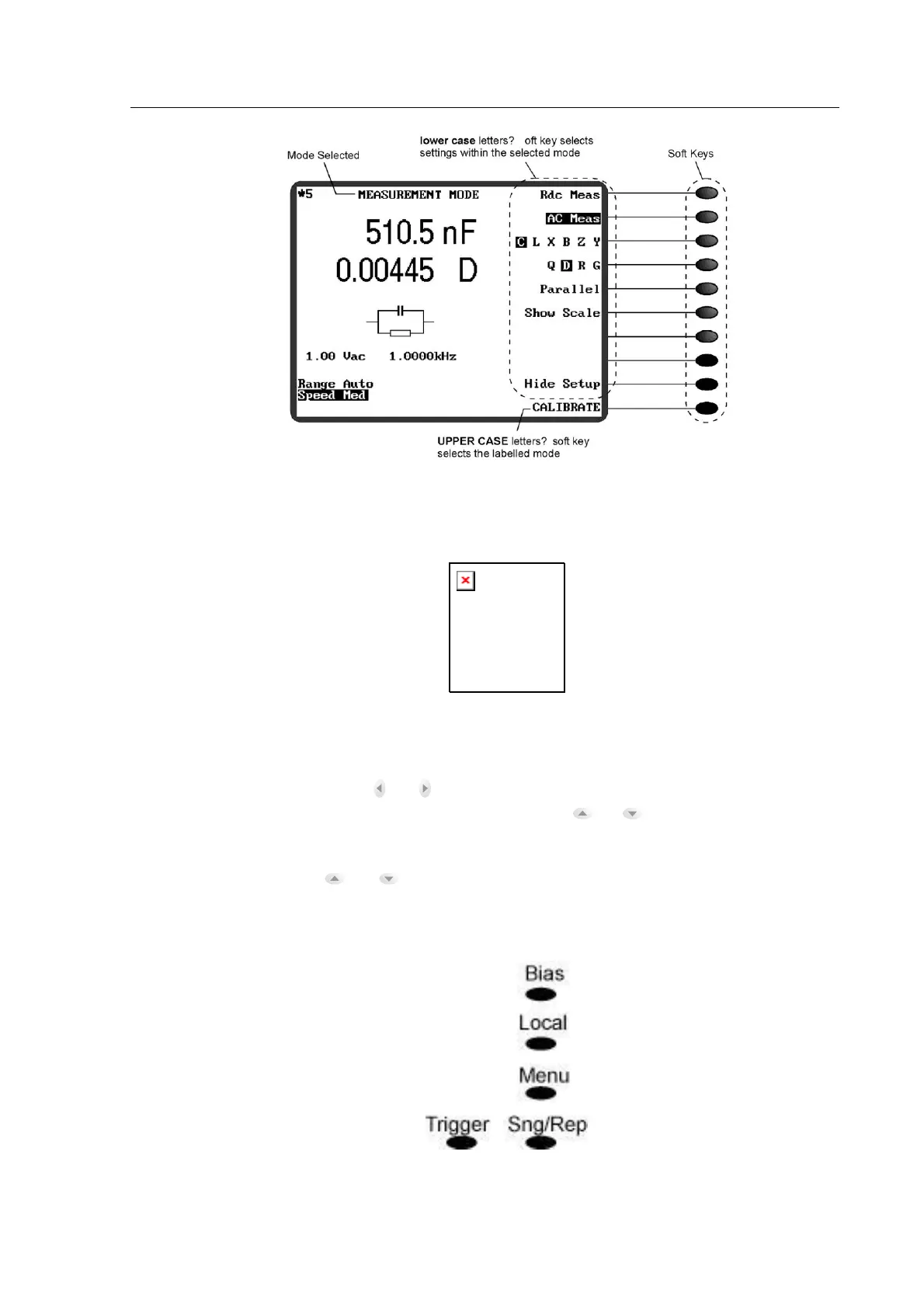
Figure 4-3 The Soft Keys
4.2.2 The Navigation Keys
Figure 4-4 The Navigation Keys
When the set up details are showing on the screen (in some modes, there is a soft key which
toggles between Hide Setup and Show Setup: this soft key can be seen in Figure 4-3), the left
and right navigation keys, and , allow each parameter to be selected in turn. When a
parameter is selected, the up and down navigation keys, and , step the numeric value for
AC level and frequency: the steps vary according to the value but are always multiples of 1, 2 or
5. Finer frequency steps can be achieved by using the data entry keypad, see section 4.2.4 For
other parameters, the and navigation keys change the settings, Auto Range/ [fixed range],
Slow/Med/Fast/Max.
4.2.3 The Control Keys
Figure 4-5 The Control Keys



 To Next Page