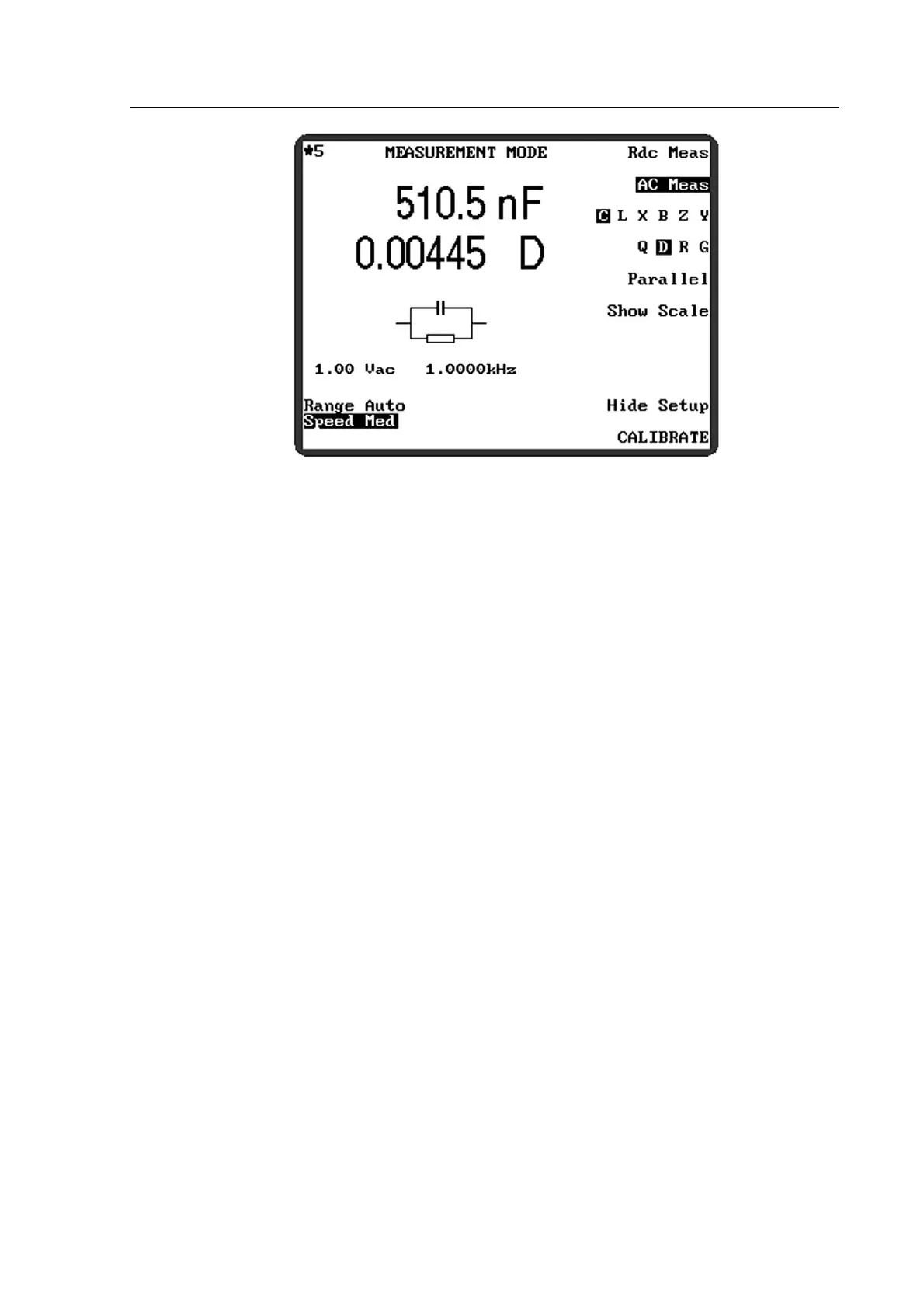
Figure 4-14 Will be displayed.
3) Use the soft keys, shown in Figure 4-2 and Figure 4-3, to set the required measurement
parameters: these are described in section 4.4.2 below. Do not exceed the limitations of the
component to be measured.
4) Connect the component to be measured to the test leads or fixture.
5) If the meter is in Repetitive mode, the measured values will be displayed and updated
according to the Speed setting selected. A continuously flashing asterisk (*) in the top left-
hand-corner of the screen indicates that the meter is in repetitive mode.
6) If the meter is in Single shot mode, the front panel Trigger key must be pressed to initiate
a measurement; alternatively, a suitable trigger pulse may be applied to the DC5VOut
socket on the rear panel, see section4.1.4. When in single shot mode, the asterisk (*) in the
top left-hand-corner of the screen only flashes when a measurement is triggered.
4.4.1 Example
This example will take the user through the process of measuring the capacitance and
dissipation factor of a 470nF capacitor. The settings used are examples only and the user may
substitute other settings, subject to the limitations of the component to be measured.
The meter should be powered up with the test leads or fixture connected to the front panel BNC
connectors. If the test leads or fixture have been changed since the meter was last used, they
should be trimmed as described in section 4.3.
1) Press the front panel Menu control key. The MAIN MENU will be displayed.
2) Press the MEASURE soft key. MEASUREMENT MODE will be displayed.
3) Ensure that the meter is in Repetitive mode (if there is no continuously flashing asterisk (*)
in the top left-hand-corner of the screen press the front panel Sngl/Rep control key—the
meter will briefly indicate which mode it is entering (shown in Figure 4-6 and Figure 4-7)).
4) Use the soft keys to select the following parameters. Pressing the soft keys will either
toggle between two options or, where more than two options are available, scroll through
the options from left to right, one option at a time.



 To Next Page