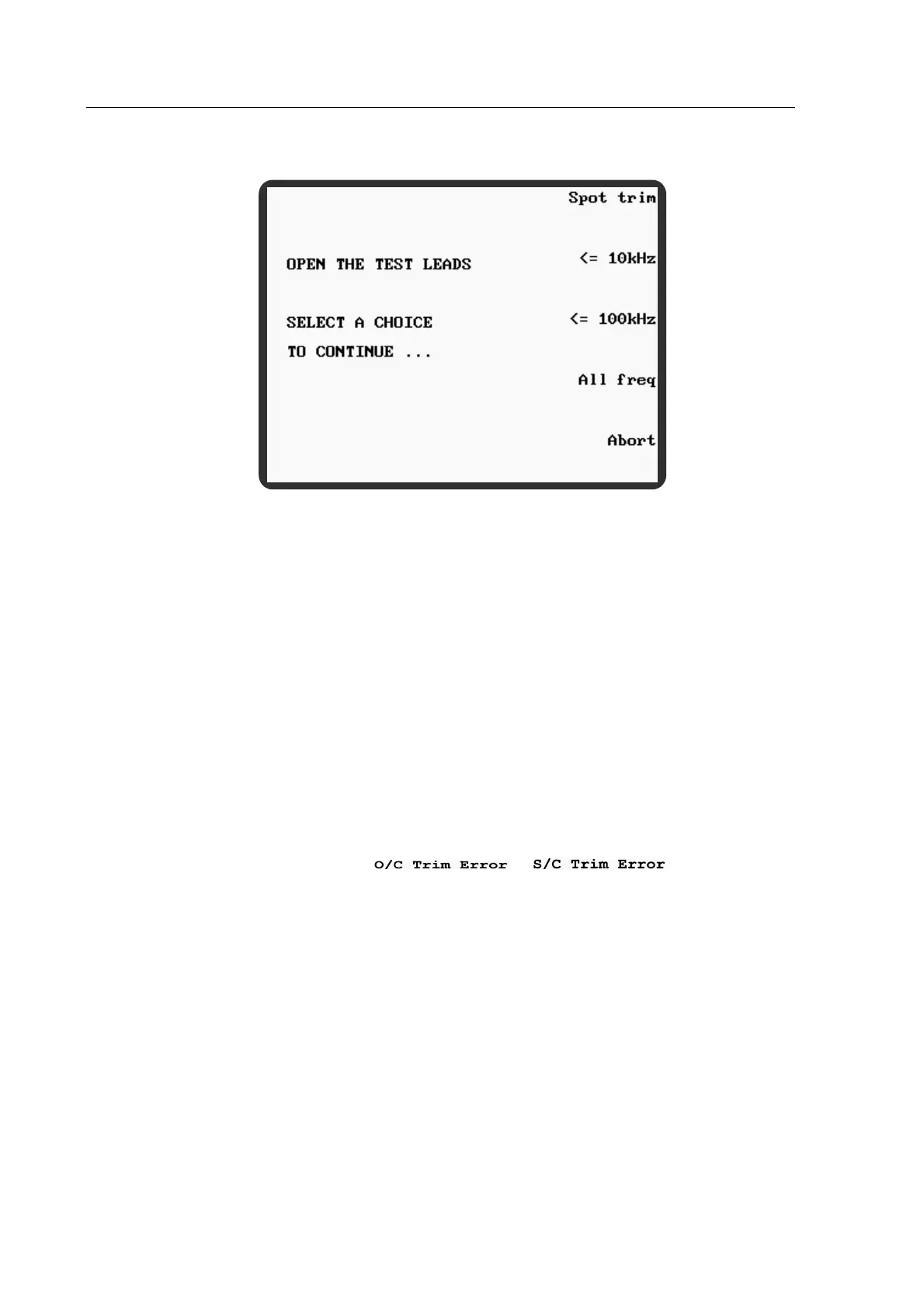
4.3.1.1 Trim Options.
Figure 4-13 Trim Options
All freq trims at a number of frequencies, including the frequency set when the trim was
initiated. For most measurements made using standard test leads and fixtures this is the normal
trim option to use. The other trim options are normally only used in exceptional circumstances,
such as when a special test fixture fails O/C or S/C trim at certain frequencies outside of the
component test parameters.
Spot trim trims only at the frequency set in MEASUREMENT MODE.
<= 10 kHz trims at a number of frequencies up to and including 10 kHz.
<= 100 kHz trims at a number of frequencies up to and including 100 kHz.
Abort cancels the trim and displays the CALIBRATE MODE main screen.
Note:
If, after trimming with an option other than All freq, a measurement frequency is selected which
is outside of the trim parameters, or will be displayed
at the top of the screen and no trim corrections will be applied for the frequency selected. The
meter can be used without trim correction but full measurement accuracy will not be available
until the meter is retrimmed using an option which covers the new measurement frequency.
4.4 Measuring a Component
The meter should be powered up with the test leads or fixture connected to the front panel BNC
connectors. If the test leads or fixture have been changed since the meter was last used, they
should be trimmed as described in section 4.3.
The following instructions illustrate the process of measuring a component.
1) Press the front panel Menu control key. The MAIN MENU will be displayed.
2) Press the MEASURE soft key. MEASUREMENT MODE



 To Next Page