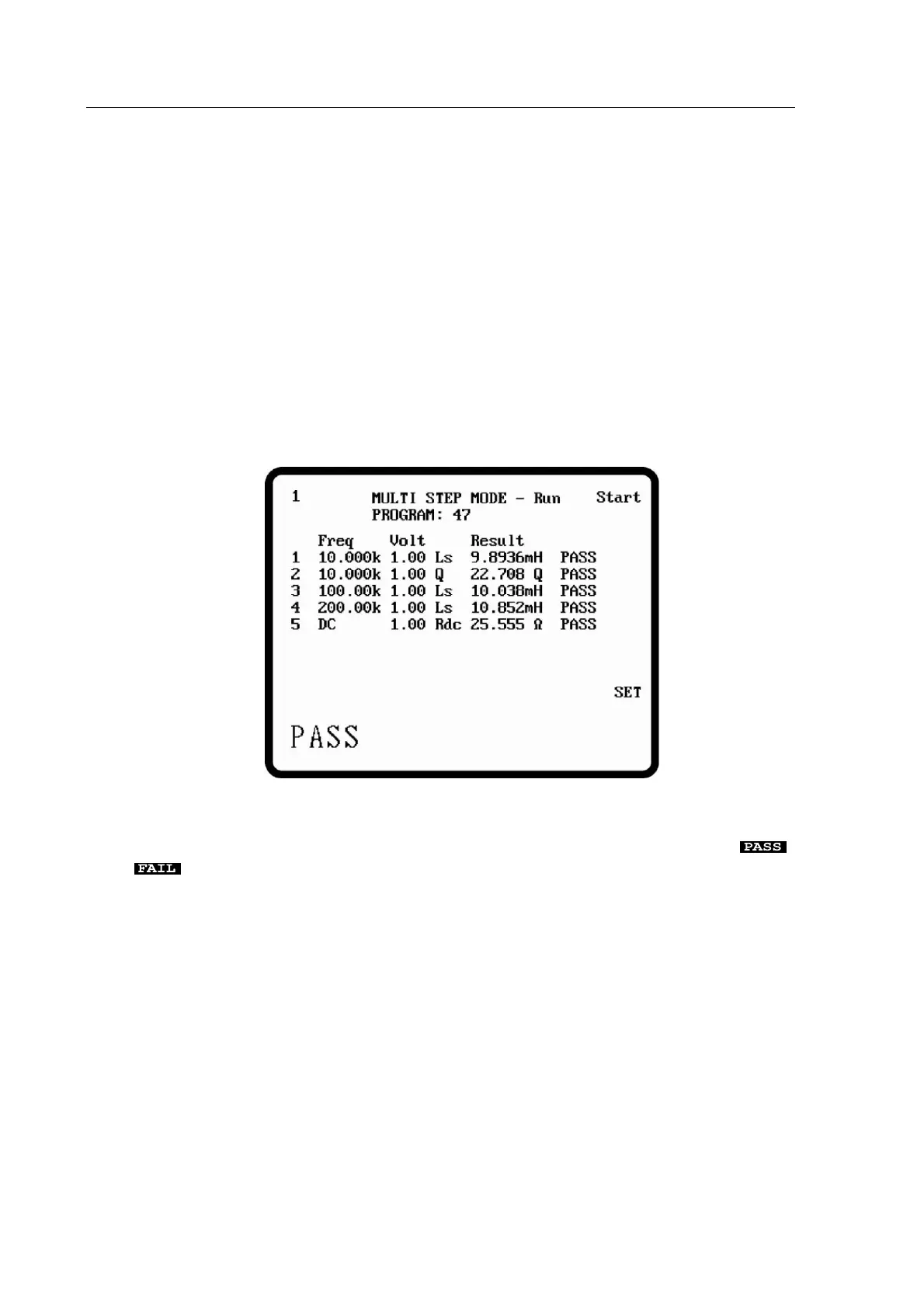
5.5.2 MULTI STEP – Run
Before a multi-step test can be run it must be set up as described in section 5.5.1. Pressing the
RUN soft key from MULTI STEP – Set mode enters MULTI STEP – Run mode.
When the Start soft key or the Trigger key is pressed, the meter will measure the component
step by step and the measurement values will be displayed. Also the meter will report PASS, HI
or LO according to the table below. Figure 5-2 shows the results of running the multi-step test
set up in section
Measurement result is within the limits set.
The parameter indicated is above the upper limit.
The parameter indicated is below the lower limit.
Figure 5-2 MULTI STEP – Run
When the handler option is fitted, the handler Pass/Fail output corresponds to the ,
, results. The Pass/Fail output goes low only when a measurement has passed all set
limits.
5.5.2.1 MULTI STEP – Trigger Mode
Sng/Rep toggles between Auto Trigger Mode and Manual Trigger Mode. In manual mode,
the trigger key initiates measurement, in auto trigger mode, the measurement is initialled when
DUT has been connected to the test leads or fixture. The auto trigger has no effect to the
capacitive component because the scanning signal source is DC. The threshold for the auto
trigger function is 20kOhm and the trigger key remains effective even if the trigger is in the auto
mode.



 To Next Page