5.5 MULTI STEP MODE
This mode allows measurement of components at a number of user-defined steps. Limits and
parameters can be different for each defined step. MULTI STEP mode is divided into two
areas: MULTI STEP – Set and MULTI STEP – Run.
5.5.1 MULTI STEP – Set
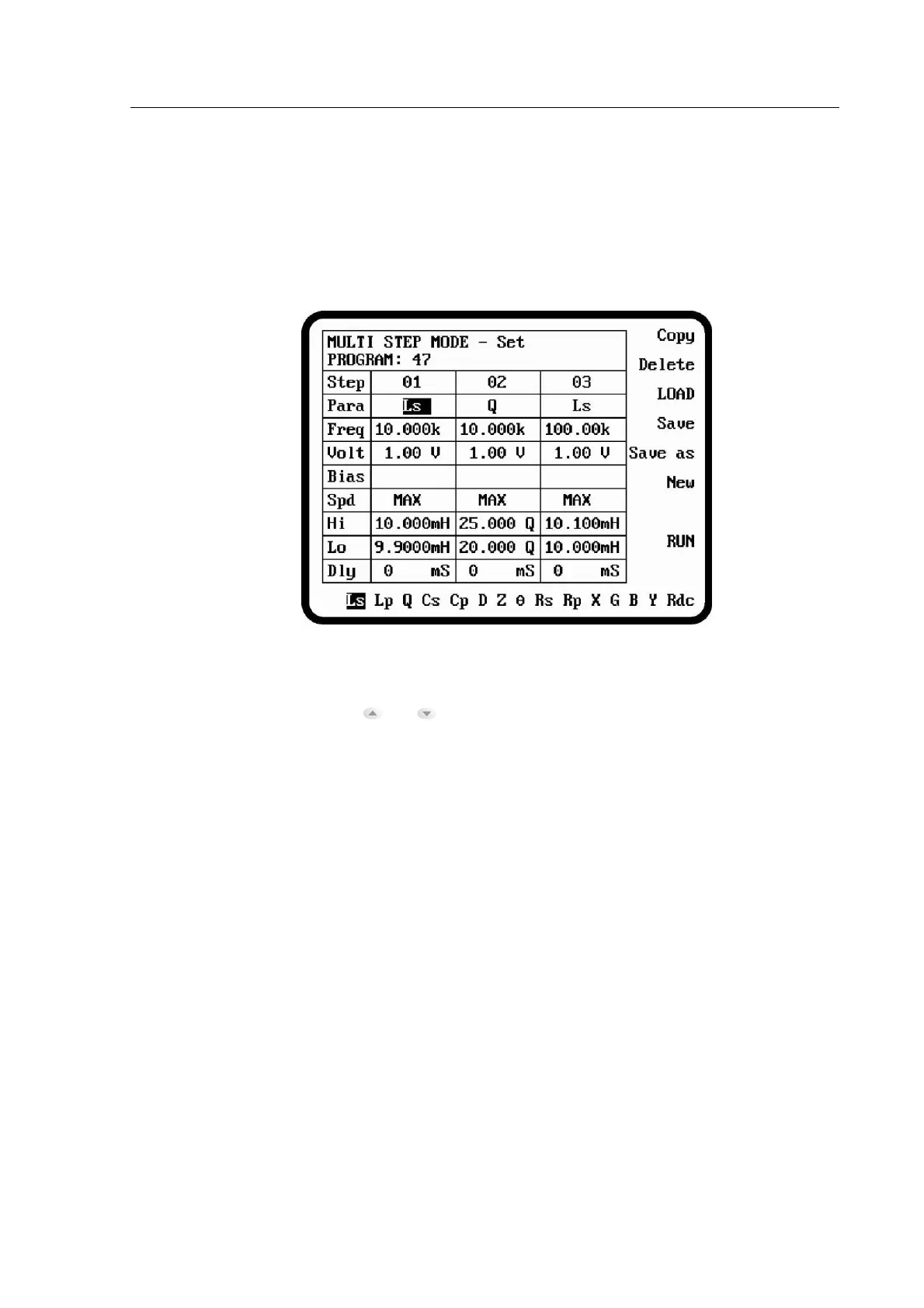
Figure 5-1 MULTI STEP – Set Display
Up to 30 steps can be defined by highlighting the parameter, then entering the frequency with
the data entry keypad. The and navigation keys scroll through each entry in turn.
5.5.1.1 MULTI STEP – Set Parameters
Parameters which are common to MEASUREMENT MODE are described in section 4.4.2—
MEASUREMENT MODE Parameters.
The Copy soft key will duplicate the current step to the next.
The Delete soft key will delete the current step.
Recall the program which is existed in the non-volatile memory.
Save the current settings to non-volatile memory. Up to 64 programs can
be stored in the meter.
Save the current settings to non-volatile memory with a new name.
Create a new program under a new name.
Enter MULTI STEP- Run mode.
Trigger delay time. For example, when an inductive component is
measured with AC after the DC measurement, the extra delay time is
required to stabilize the measurement.



 To Next Page