MDS 05-2415A01, Rev. A PROGRAMMING AND DIAGNOSTICS 3-13
Table 3-2. Programming and Test Commands—Part 3 of 3
REMINDERS
• All command entries end with the ENTER key.
• Use the SHIFT key to access numbers; press again to return to characters.
• Square cursor ( ) – letter mode is selected.
• Rectangular cursor ( ) – number mode is selected.
• Use ESC/BKSP key to edit information or commands being typed in.
• An underlined blank space (xx_xx) on command list indicates a required space.
HAND-HELD TERMINAL SETUP DEFAULTS
Occasionally, users of the HHT will key in a sequence of characters that will alter the internal
microcontroller operating defaults and cause it to no longer be able to exchange data with the
radio. The following is a set of instructions for reinitializing the HHT for use with MDS radio
products.
Restoring the HHT Operation Defaults
1. Plug the HHT into the radio and apply power to the radio. A small rectangular cursor
will appear on the display.
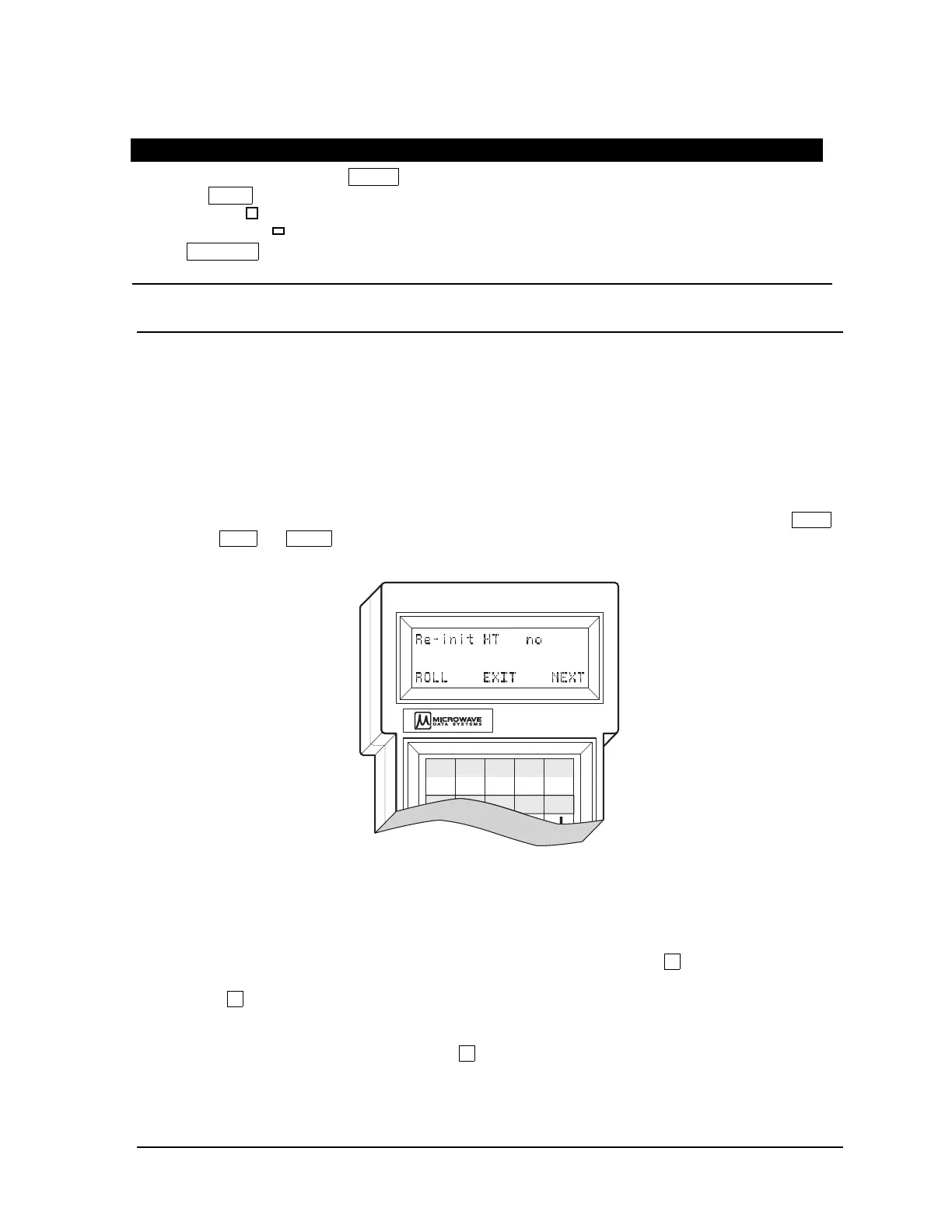
2. Put the HHT into the Setup Mode by pressing the following keys in sequence: SHIFT
+ CTRL + SPACE . The HHT responds with a screen display similar to that shown in
Figure 3-3.
A
F1
B
F2
1
C
F3
2
D
F4
3
E
F5
Figure 3-3. HHT Initialization Display
Reviewing and Changing Defaults
1. The first of 15 menu items will be displayed. See Table 3-3. All of the items can be
reviewed by pressing the “NEXT” function controlled by the
E key. The menu
parameter setting can be changed by pressing the “ROLL” function controlled by
the A key.
2. Set up the HHT as listed in Table 3-3.
3. To “EXIT” the setup mode, press
C for “EXIT”, or it will automatically be closed
after the final item on the setup menu has been reviewed and the “ROLL” function is
selected.



 To Next Page