MDS 05-2415A01, Rev. A FIELD TESTS & ADJUSTMENTS 4-17
P8 P6
S1
CONFIGURATION
U6
U5
8 1 OFF (OPEN)
CLOSED
U3
Pin 7
ON
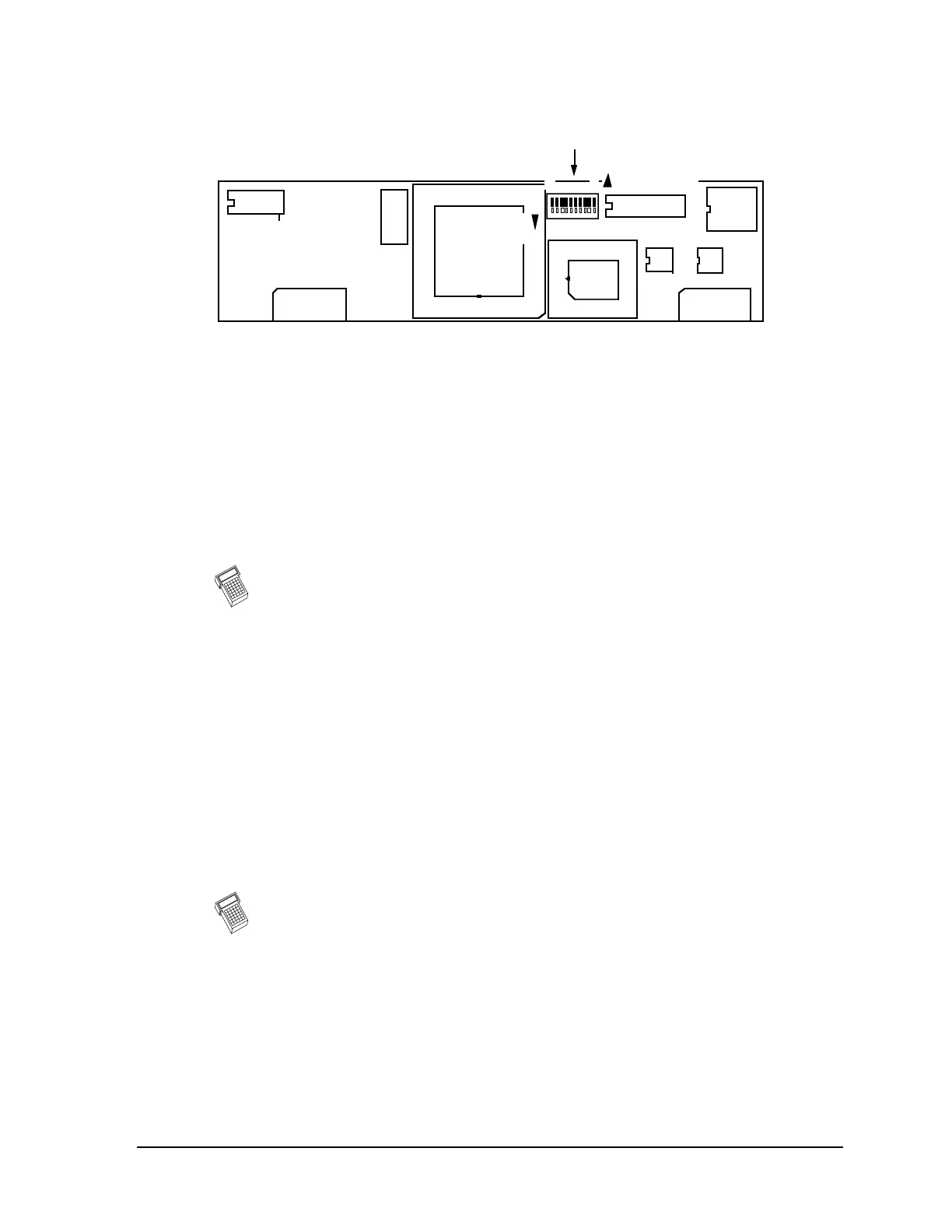
Figure 4-6. 9600 BPS FSK Modem; MDS P/N 03-1833A01
See Table C-1 in Appendix C for details on switch settings.
Transmit Frequency
1. Key the transmitter by raising RTS (SW1 Closed). The TXD line should be at logic
low (LED annunciator TD [TXD] off).
2. Check for correct transmit center frequency. With TXD low (SW2 Open) the
transmitted frequency should be within 100 Hz of the assigned center frequency. If
necessary, adjust the TCXO frequency adjustment (on the transceiver’s
motherboard), to place it on frequency.
R
M
If Remote Maintenance is installed, use the IF / DF / INCF / DECF commands
instead of adjusting the TX Frequency adjustment on the TCXO. The IF / DF
commands increment/decrement the frequency in single steps while the
INCF / DECF commands make larger jumps by adding a space and a number
to the command. (For example: INCF_8 to increase the frequency by eight
steps out of 100.) When finished, type RMST to store the setting.
Data Deviation
1. With the radio still keyed (SW1 Closed), raise TXD (SW2 Closed). This should
cause the transmitted frequency to shift by 1.6 kHz ±75 Hz either up or down.
It does not matter if the frequency shifts up or down; the way it shifts depends only
upon the phase of the modem’s internal 9600 Hz clock at the instant the TXD line
changed. If the TXD line is toggled, the transmit frequency should change between
the assigned center frequency when TXD is low and 1.6 kHz on either side of center
when TXD is high. If necessary, adjust R168 on the transceiver motherboard to
obtain a 1.6 kHz ±75 Hz shift.
R
M
If Remote Maintenance is installed, set R168 to its full-clockwise position
and use the ID / DD / INCD / DECD commands to set the frequency shift to
1.6 kHz. The ID / DD commands increment/decrement the deviation in single
steps while the INCD / DECD commands make larger jumps by adding a space
and a number to the command. (Example: INCD_4 to increase the deviation
by four steps out of 100.) When finished, type RMST to store the setting.
2. Toggle TXD high (SW2 Closed) until the frequency shifts opposite from above. The
frequency should shift 1.6 kHz ±75 Hz. If not, alternately adjust the TX Frequency
adjustment on the TCXO and R168 on the transceiver’s motherboard, toggling TXD,
checking both the high and low frequencies for equal 1.6 kHz shifts.
Continued on next page.



 To Next Page