English-38
004-1055-00
TP210 Rev. A
© 2013 Midmark Corp. | 60 Vista Drive Versailles, OH 45380 USA | 1-800-643-6275 | 1-937-526-3662 |
[Revised: mo/dd/yr]
Wireless Controls - continued
Association Procedure
The wireless controllers will only function with the table they have been “associated”
with. This prevents unwanted movement in locations with more than one table.
Each wireless controller’s association is preset at the factory. This procedure is only
required in the event of a malfunction, if a new controller is purchased, or if you are
attempting to use the controller with a table other then the one it was originally
associated with.
NOTE: The base station PC board only stores the last two associated controllers. To ensure proper
operation, Midmark recommends reassociating both controllers (hand & foot), even if only one new
controller is purchased.
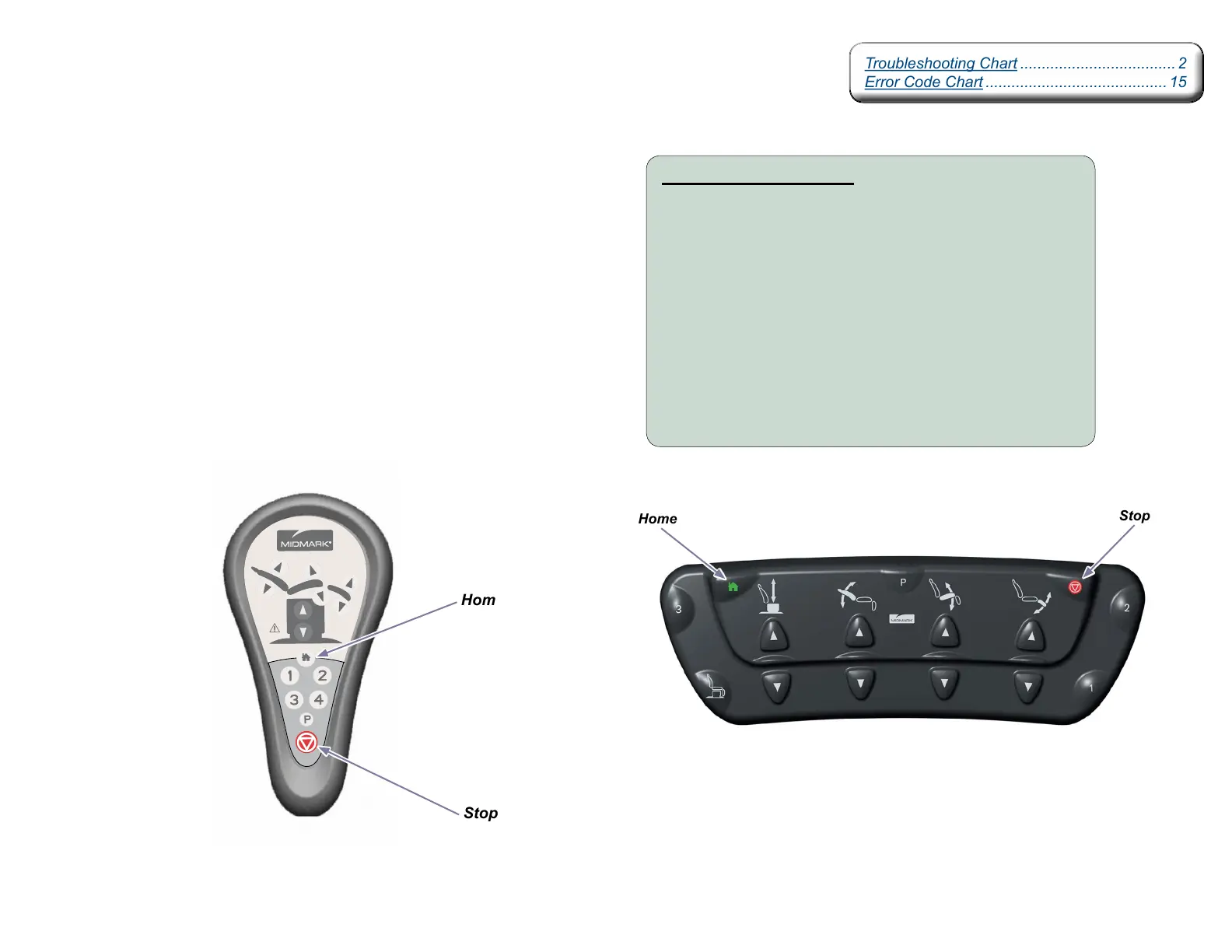
Home
Stop
Association Procedure:
A) Disconnect power to the table for at least five seconds.
B) Reconnect power, wait for at least two seconds,
then press & hold the Stop & Home buttons on the
wireless controller until you hear three “beeps”.
C) Check for proper operation of wireless controller.
D) If associating a hand and foot control, repeat procedure
using the other wireless controller.
Note: Step B, do not wait for more than ten seconds to
press & hold the Stop & Home buttons.
Stop
Home
Troubleshooting Chart .................................... 2
Error Code Chart .......................................... 15
Troubleshooting Chart .................................... 2
Error Code Chart .......................................... 15



 To Next Page