English-61
004-1055-00
TP210 Rev. A
© 2013 Midmark Corp. | 60 Vista Drive Versailles, OH 45380 USA | 1-800-643-6275 | 1-937-526-3662 |
[Revised: mo/dd/yr]
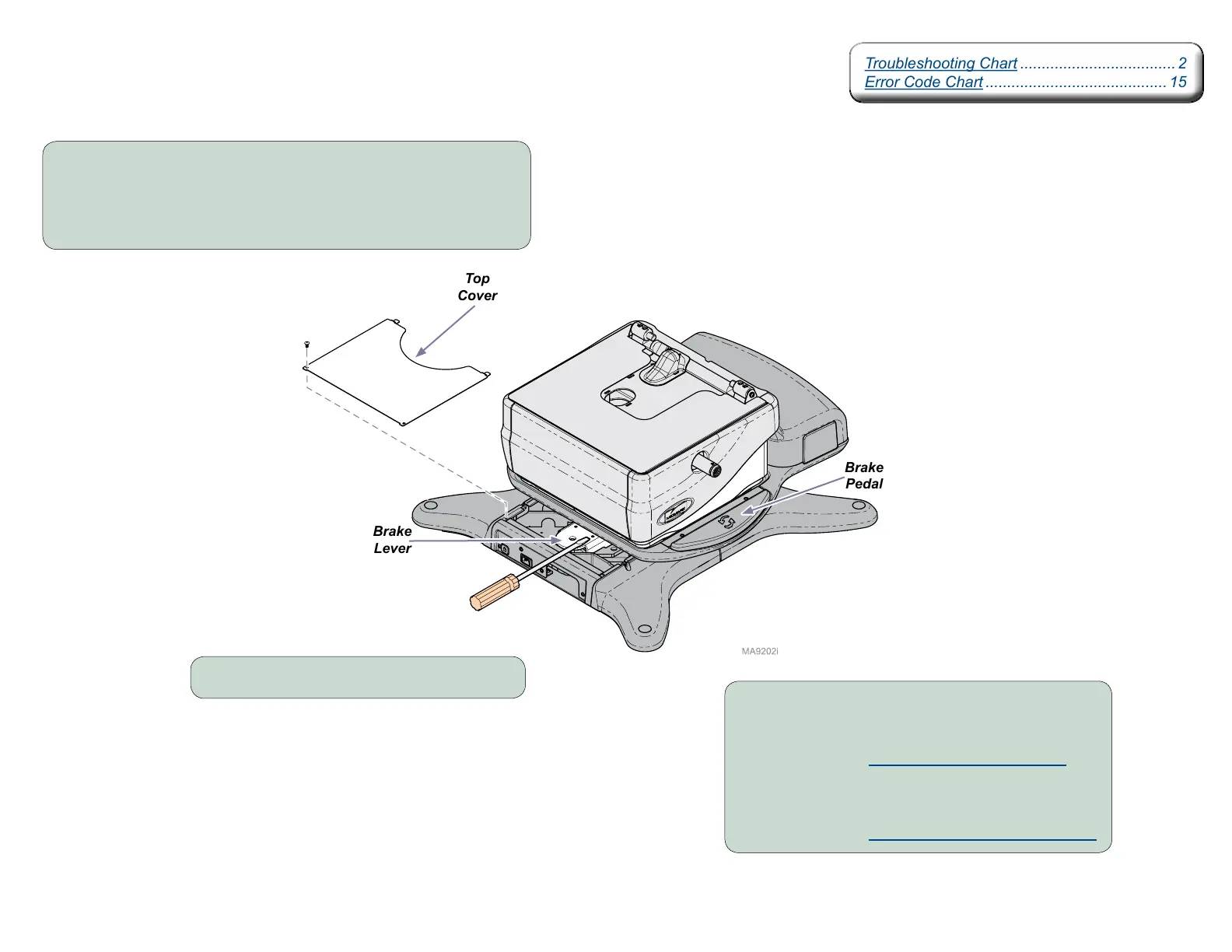
Rotational Base Brake System - continued
Screwdriver Test
Brake
Lever
Brake
Pedal
Step 2: Hold a screwdriver on brake lever.
Step 3: Press & release the brake pedal.
Can you feel the Electro-magnet energize?
If YES: Perform Magnet Position Adjustment.
If NO: Check rotational base PC board.
Perform Rotational Brake PCB Input Test.
Top
Cover
Step 1: Rotate the base to access the rotational base top cover.
Remove two screws and rotational base top cover.
Note: If the brake will not release, the base can still be rotated manually by
applying additional force.
Troubleshooting Chart .................................... 2
Error Code Chart .......................................... 15
Troubleshooting Chart .................................... 2
Error Code Chart .......................................... 15



 To Next Page