SWITCH TEST
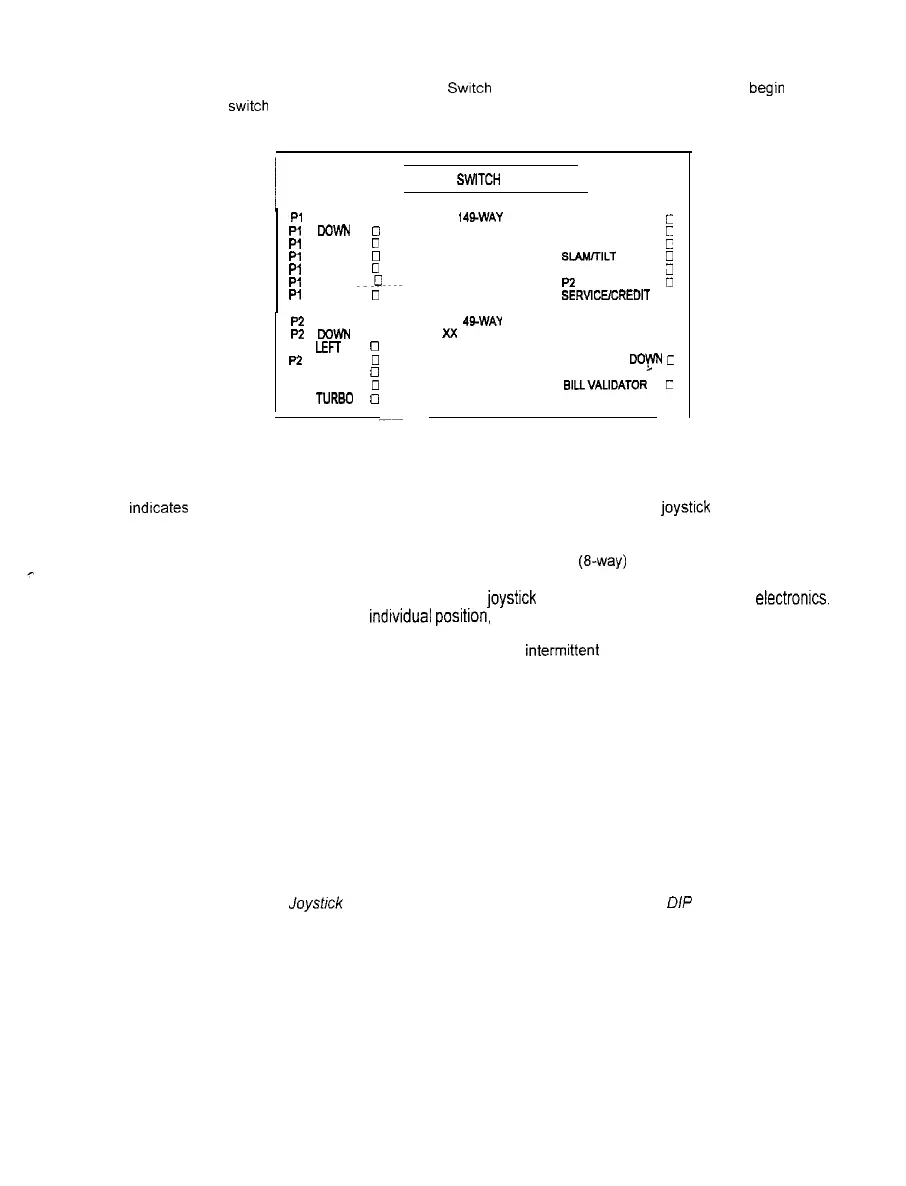
To enter the test, use a joystick to select the Switch Test and any control panel button to begln testing.
Activate each
switch
and the indicator on the screen changes state. Release the switch and the indicator
returns to its previous normally open or closed condition. Switches may be tested in any combination.
PI
UP
0
P, Cam
0
Pl
LEFT
0
Pl
RIGHT
0
Pl
JUMP
0
P, PASS
~m-0
Pi
TURBO
0
P2 UP
0
P2 WWN
0
P2 LEFT
0
P2 RIGHT
0
P2 JUMP
0
P2 PASS
0
P2 TURBO
0
/ PLAYER
SWlTCH
INPUTS TEST 1
PLAYER
1
49WAY
xx
LEFT COIN
c
RIGHT COIN
c
PI START
0
SLAMTILT
0
TEST/ENTER
;1
P2 START
0
SERVlCElCREDlT
3
PLAYER 2 49-WAY
VOLUME UP
0
VOLUME DOF
C
BILLVALIDATOR
C
SWITCH TEST SCREEN
Player Controls are shown on the screen as colored boxes.
Red boxes indicate an open state, green
indicates closed; any other color indicates a fault condition. Each button or
joystlck
change should be
exactly duplicated by a single indication on the menu screen
The game electronics will accept both deluxe (49-way) and standard (&way) joysticks. The active Joystick
type will be indicated on the test screen. For 49-way joysticks (as illustrated in the example above), there
will be a unique number for each Player 1 or Player 2
joystlck
position recognized by the game electronics.
Standard joysticks will indicate each indtvidual posltion, but there will be no numerical value displayed.
The Player Controls Tests are used to verify crossed wires, intermlttent conditions, and stuck switches
Operator Controls are shown on the screen as they are found on the coin door. Colors are the same as
above. Each switch change should be exactly duplicated by a single indication on the menu screen.
The Operator Controls Tests are used to verify crossed wires, intermittent conditions, and stuck switches.
The Coin and Cabinet Switches are shown on the screen without regard for their actual game location.
Each switch change should be exactly duplicated by a single indication on the menu screen.
These Switch Tests are used to verify crossed wires, intermittent conditions, and stuck switches
NOTE: Ensure that fhe Joysbck Type setting matches the joysticks used (refer to
DIP
Switch Tests)
2-11



 To Next Page