GAME AUDITS
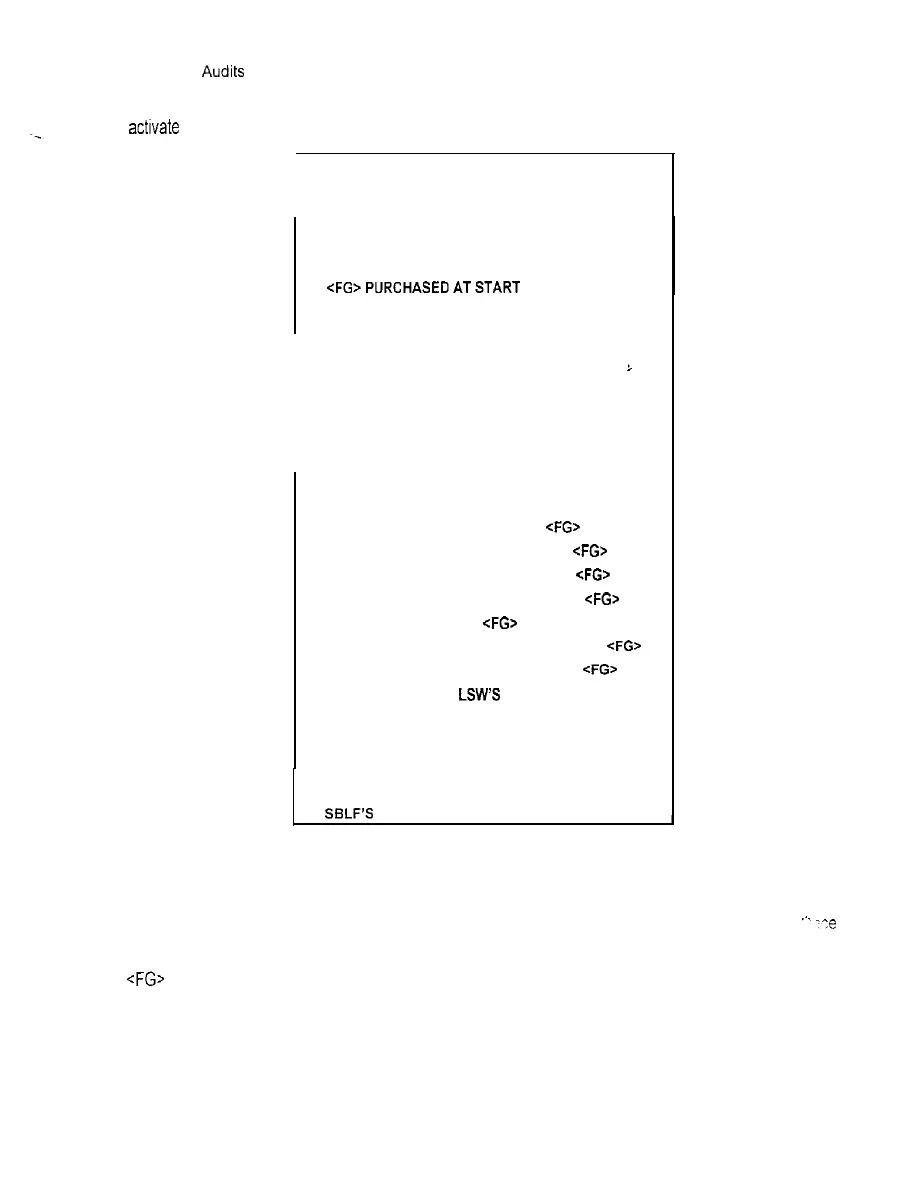
The Game Audrts Menus permit the operator to review the game play statistics
Highlight Game Audits by using any joystick to select the option; then press any control panel button to
actrvate
this screen
GAME AUDITS
TOTAL UPTIME
TOTAL PLAY TIME
GAME STARTS
INITIALS ENTERED
<FG>PURCHASEDATSTART
1 PLAYER
2 PLAYER
1 QUARTER GAMES
i
2 QUARTER GAMES
3 QUARTER GAMES
4 QUARTER GAMES
1 OVERTIME
2 OVERTIMES
3 OVERTIMES
AVG. HUMAN TO HUMAN SCORE cFG>
AVG. HUMAN TO COMPUTER SCORE <FG>
AVG. HUMAN TO HUMAN WIN SCORE cFG>
AVG. HUMAN TO HUMAN LOSS SCORE <FG>
COMPUTER VICTORIES <FG>
GREATEST COMPUTER VICTORY MARGIN <FG>
GREATEST COMPUTER LOSS MARGIN cFG>
HUMAN TO HUMAN LSW’S
GAME CONTINUES
FREE QUARTERS AWARDED
FREE GAMES AWARDED
TLF’S
SELF’S
GAME AUDIT SUB MENU
This screen reports information but does not permit changes to be made.
We recommend that all audit Information be examined and recorded before any changes are made.
‘..
-‘:e
the counters have been cleared, the previous data cannot be retrieved from the system.
<FG> is used here to indicate a Full Game
LSW, TLF, SBLF, etc. are terms for Internal record keeping counters used in this game.
2-15



 To Next Page