Diagnostic, Audit & Adjustment Menu System 3-6
Operator Menu (continued)
Diagnostics Menu (continued)
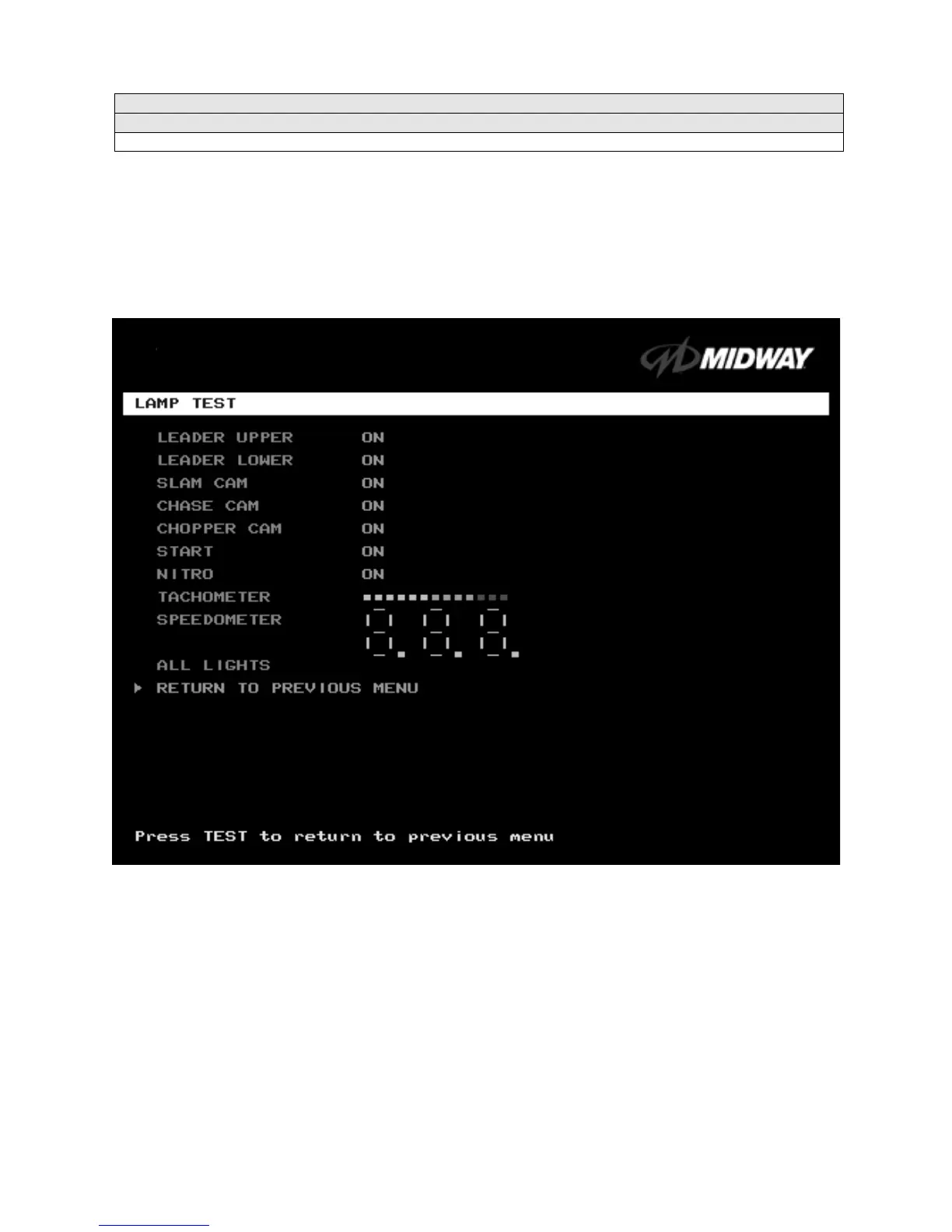
Lamp Test Menu
LAMP TEST
Select
LAMP TEST
at the
Diagnostics
Menu
.
The Lamp Test
allows you to check operation of game
lamps. Use the test to check for burned-out bulbs, faulty lamp wiring, etc.
Highlight a test with the middle two diagnostic buttons inside the coin door. Select the option with the
TEST MODE button. Pressing TEST MODE also lights the selected lamp.
LAMP TEST SCREEN
Lamp tests indicate the condition of game lamps. These include lamps in the control panel and overhead
linking sign or optional header. (Unless your cabinet has header lights, the Leader Upper and Leader
Lower tests have no effect.)
For most tests, select a lamp name from the menu. Press TEST MODE (or CHOPPER CAM) to turn on
the selected lamp. Press TEST MODE again to toggle the lamp off. The Tachometer and Speedometer
tests operate slightly differently. These tests lights one LED for each press of TEST MODE. Press
START, SLAM CAM or CRASH CAM to exit. Select ALL LIGHTS to switch on all controlled lamps
simultaneously.
After completing tests, select RETURN TO PREVIOUS MENU. This action closes the Lamp Test Menu
and reopens the Diagnostics Menu.












 To Next Page