Servicing 5-2
DISASSEMBLY & REASSEMBLY
This chapter includes summarized procedures for disassembling and reassembling VGM components.
Only qualified service personnel should repair VGM equipment. The following product guidelines apply to
all video game operators and service personnel. Notes, cautions and warnings appear throughout this
manual where they apply. Study the Safety pages before beginning service.
•
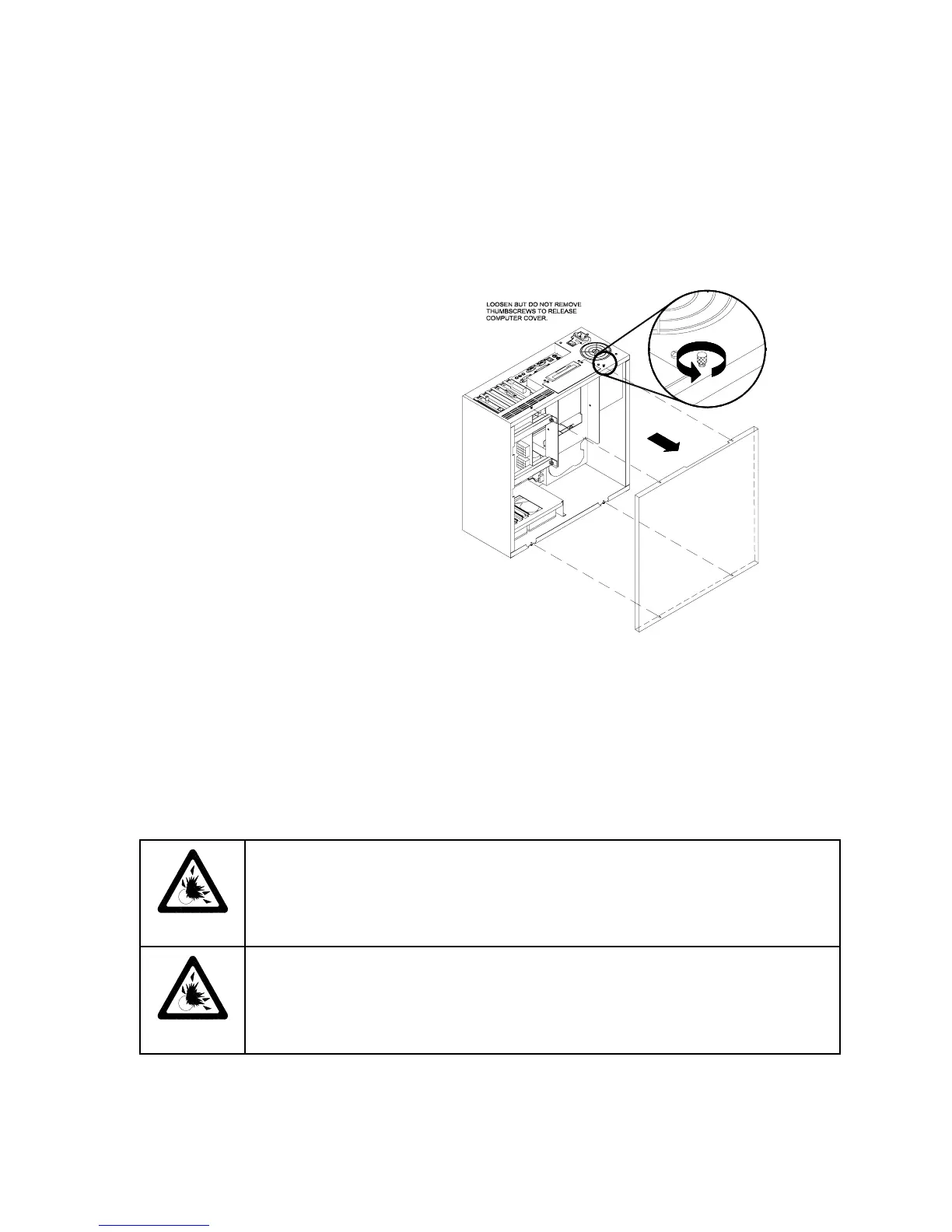
Arcade Computer
Switch off power to the VGM.
Open and remove the rear door.
The Arcade Computer is behind
this door. To expose Arcade
Computer circuitry, loosen four
metal thumbscrews. Don’t remove
the screws. These screws reside
at the top and bottom corners of
the case. Slide off the back of the
computer.
•
Audio Amplifier Board BB12
Switch off power to the VGM. Unlock and open the rear door. The BB12 Audio Amplifier Board
mounts to the wooden shelf behind the steering motor. Note the orientation of the connector and
other cables. Extract the harnesses from the board connectors. Remove mounting screws from the
Audio Board. Lift the board out of the cabinet. Handle the board by a heatsink. If you aren’t
reinstalling the board, store it in an anti-static bag and protective container.
•
Battery
CAUTION:
If you install the battery incorrectly, it may explode! Avoid direct shorts
across the terminals or from terminals to ground. These batteries are designed for
very long life. Don’t attempt to recharge these batteries!
CAUTION:
Avoid an explosion!
Replacement batteries must match the originals in
size, voltage rating, and composition. Manufacturer recommended equivalent types
are acceptable. Store batteries in a safe place until you’ve completed repairs.
Dispose of used batteries according to manufacturer instructions.
A battery on the CPU Board retains data in memory during power disruptions. This battery is a 3-volt,
lithium button cell. Switch off power to the VGM. Unlock and remove the rear door. Remove the back
of the Arcade Computer. The battery resides toward the edge of the motherboard, near the daughter












 To Next Page