Servicing 5-10
•
Video Board
Switch off power to the VGM. Unlock and open the rear door. Remove the back of the Arcade
Computer. Loosen the header-mounting screw. Disconnect the video cable from the board header
connector. Remove the circuit board retention bars. Remove the board. As you remove the board,
handle it only by its edges. Don’t touch the copper traces! Use anti-static bags and protective
containers to store the board if you won’t reinstall it.
•
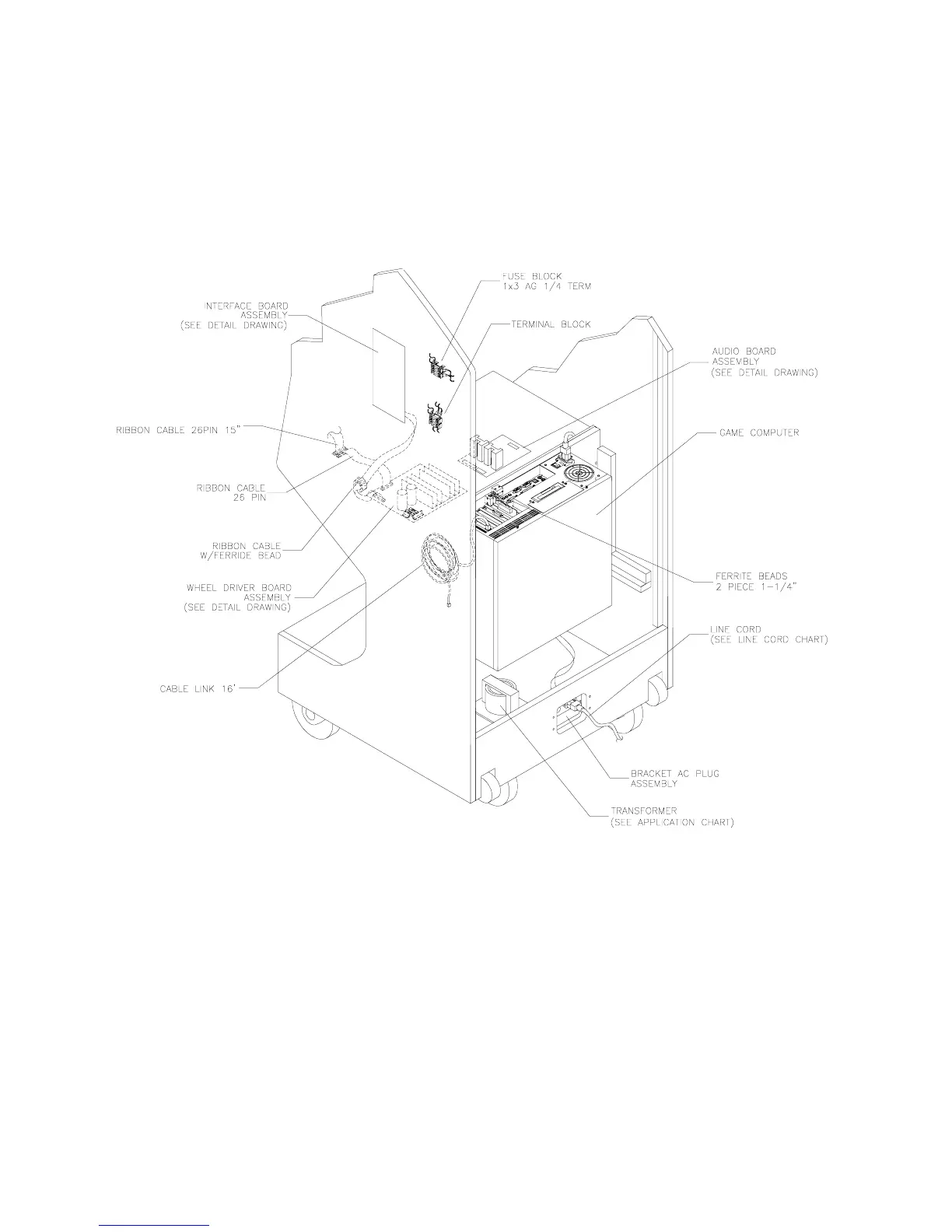
Wheel Driver Board
Switch off power to the VGM. Unlock and open the rear door and the coin door. The Wheel Driver
Board mounts to the wooden shelf behind the gearshift. Note the orientation of the connector and the
other cables. Extract the harnesses from the board connectors. Leave the other end of the ribbon
cable connected to the MagicBus Board. Remove mounting screws from the Wheel Driver Board. Lift
the board out of the cabinet. Handle the board by the heatsink. If you aren’t reinstalling the board,
store it in an anti-static bag and protective container.












 To Next Page