-40-
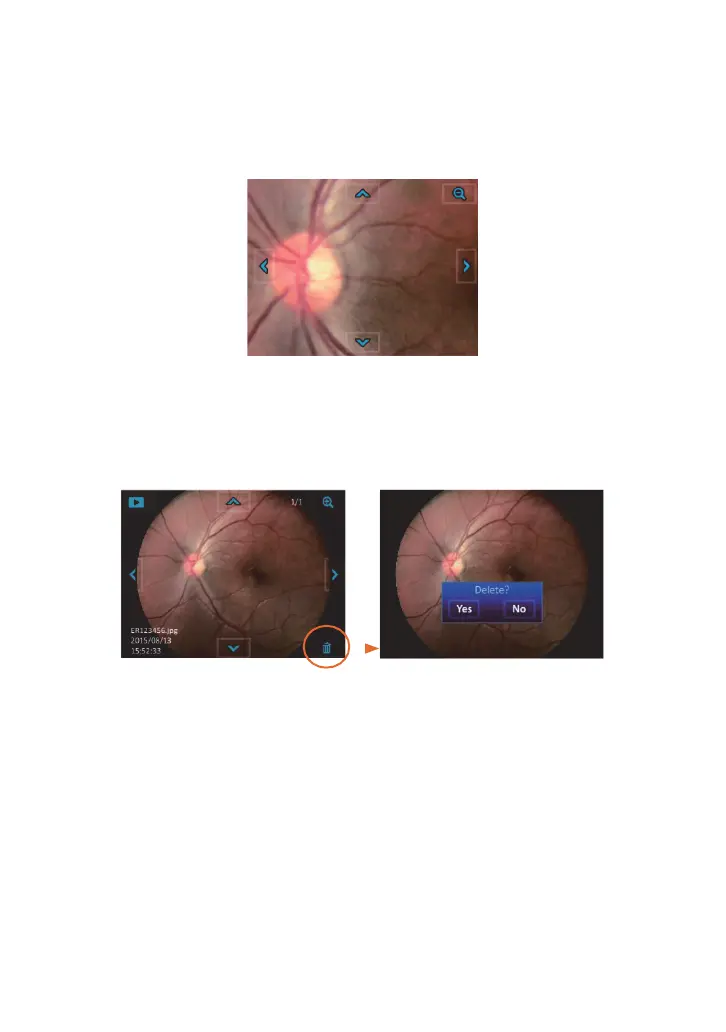
After the image is enlarged (1:1), the arrows would work as pan functions. Tap Zoom icon
again to return the original scale.
Move the enlarged
section upward
Move the
enlarged se
ction
toward left
Move the
enlarged section
toward right
Deleting pictures
Move the enlarged
section downward
Tap the delete icon to delete the image. By using the “delete” functions on you
r camera, this
only changes the Įle management informa
tion and does not completely the data
from the
memory card. When disposing of or transferring your memory cards, we recommend physically
destroying them or using commercially available computer data erasing software to completely
delete the data from the card.


 To Next Page