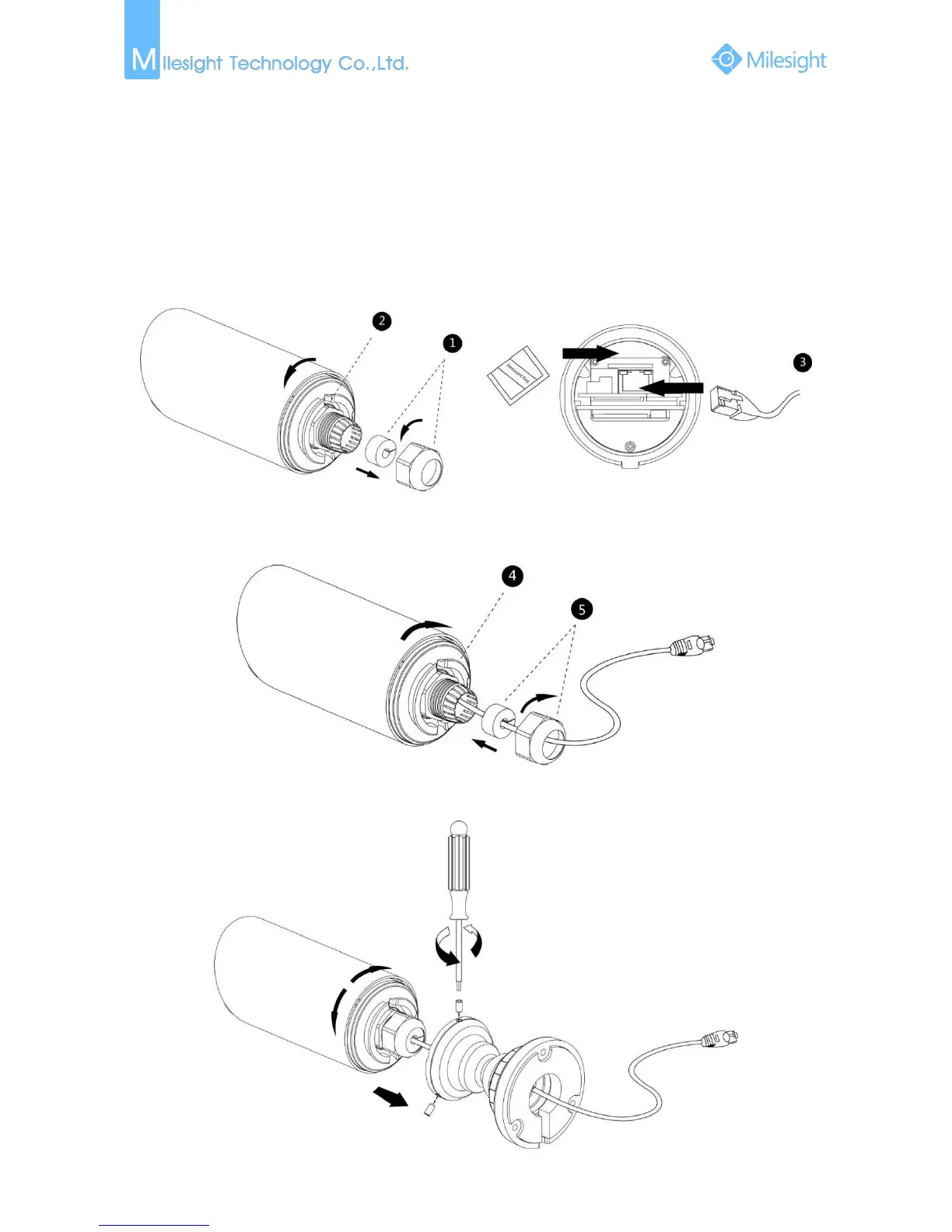
Step1: Loosen the waterproof connector, and then remove the rubber seal, and the waterproof
connector;
Step2: Loosen and open the rear cover;
Step3: Install a Micro SD/SDHC card, connect an Ethernet cable and pass it through the rubber seal,
attach the supplied desiccant bag to the inner side of the network camera (Please replace
the desiccant bag with a new one once you open the rear cover);
Step4: Install and tighten the rear cover;
Step5: Tighten the rubber seal, seal clamp, and cap nut of the waterproof connector;
Step6: Pass the Ethernet cable through the center of the mount bracket, put the bracket and
camera together, rotate the bracket and fasten the bracket using screws;


 To Next Page
 Loading...








